Mitigating Batch Effects in EWAS: A Comprehensive Guide from Study Design to Data Validation
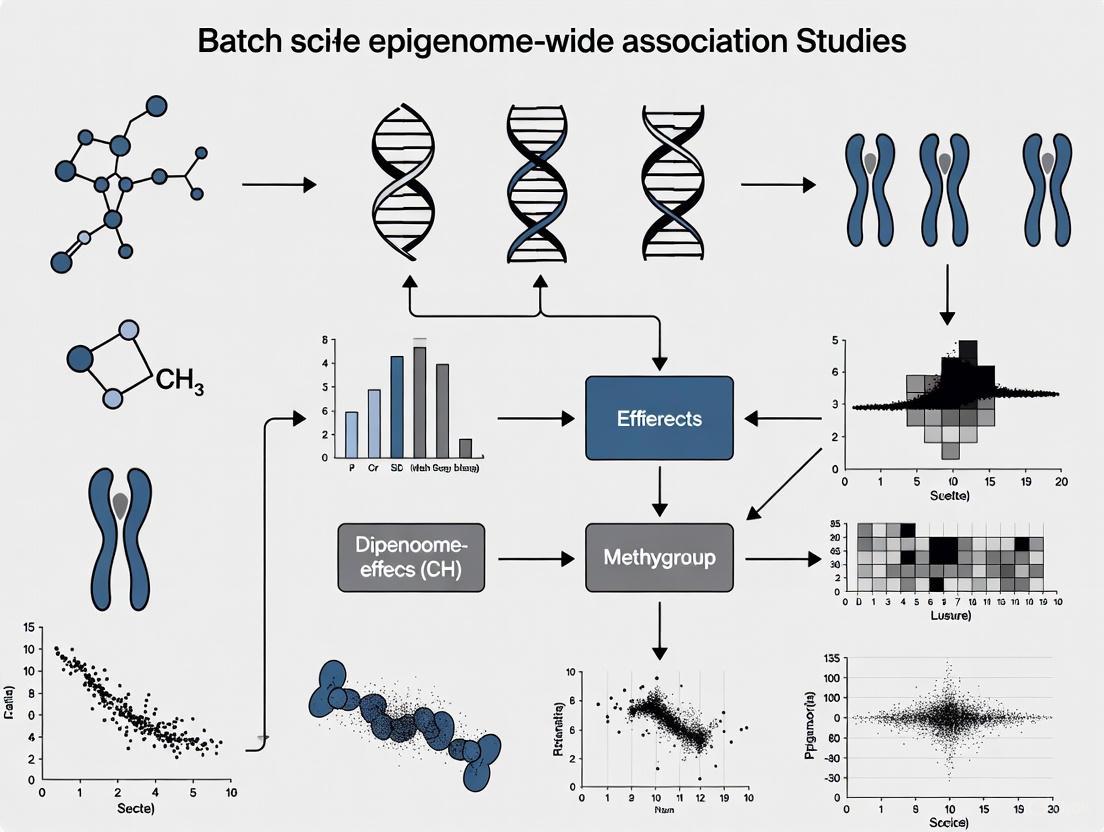
This article provides a comprehensive guide for researchers and scientists on addressing the critical challenge of batch effects in large-scale Epigenome-Wide Association Studies (EWAS).
Mitigating Batch Effects in EWAS: A Comprehensive Guide from Study Design to Data Validation
Abstract
This article provides a comprehensive guide for researchers and scientists on addressing the critical challenge of batch effects in large-scale Epigenome-Wide Association Studies (EWAS). Covering foundational concepts to advanced applications, we detail how technical variation from sources like processing dates and microarray chips can confound biological signals and lead to false discoveries. The content explores robust methodological frameworks, including popular tools like ComBat and linear mixed models, while highlighting critical troubleshooting strategies for unbalanced study designs where batch correction can systematically introduce false positives. By integrating principles of thoughtful experimental design, careful data inspection, and rigorous validation, this guide equips professionals with the knowledge to produce reliable, reproducible epigenetic findings for drug development and clinical research.
Understanding Batch Effects: The Hidden Technical Confounders in EWAS
What are batch effects and why are they a critical concern in DNA methylation analysis?
Batch effects are systematic technical variations introduced into high-throughput data due to differences in experimental conditions rather than biological factors. These non-biological variations can arise from multiple sources throughout the experimental workflow, including differences in reagent lots, processing dates, personnel, instrumentation, and array positions [1] [2].
In DNA methylation studies, particularly those using Illumina Infinium BeadChip arrays (450K or EPIC), batch effects can profoundly impact data quality and interpretation. They inflate within-group variances, reduce statistical power to detect true biological signals, and potentially create false positive findings [1] [2]. In severe cases where batch effects are confounded with the biological variable of interest, they can lead to incorrect conclusions that misinterpret technical artifacts as biologically significant results [1] [3].
The consequences can be serious, including reduced experimental reproducibility, invalidated research findings, and in clinical contexts, potentially incorrect patient classifications affecting treatment decisions [1].
Batch effects can emerge at virtually every stage of a DNA methylation study. The table below summarizes the key sources and their impacts:
Table 1: Primary Sources of Batch Effects in DNA Methylation Studies
| Experimental Stage | Specific Sources | Impact on Data |
|---|---|---|
| Study Design | Unbalanced sample distribution across batches, confounded batch and biological variables [3] | Inability to separate technical from biological variance |
| Sample Processing | Bisulfite conversion efficiency [4] [2], DNA extraction methods [1], reagent lot variations [1] [2] | Systematic shifts in methylation measurements |
| Array Processing | Processing date [2], slide effects [2], row/position on array [2] [3], hybridisation conditions [2] | Position-specific technical artifacts |
| Instrumentation | Scanner variability [2], array manufacturing lots [2], ozone effects on dyes [2] | Intensity biases, particularly for specific probe types |
Different probe designs on methylation arrays also exhibit varying susceptibility to batch effects. Infinium I and II probes have different technical characteristics, with Infinium II probes showing reduced dynamic range and confounding of color channels with methylation measurement [2].
Figure 1: Sources of batch effects in DNA methylation studies
How can I detect and diagnose batch effects in my DNA methylation dataset?
Several diagnostic approaches can help identify batch effects before proceeding with formal analysis:
Principal Components Analysis (PCA) is a standard method for batch effect detection. By examining the top principal components and testing their association with both biological and technical variables, you can identify sources of unwanted variation [3]. For example, if principal components show strong association with processing date or array position rather than your biological variables of interest, this indicates significant batch effects [3].
Visualization methods include plotting sample relationships using dimensional scaling (MDS plots), examining intensity distributions across batches, and visualizing data before and after correction. These approaches help identify batch-driven clustering patterns that may mask true biological signals [2] [5].
Statistical testing for associations between technical variables and methylation values can quantify batch effect severity. Correlation analyses and variance partitioning can determine what proportion of data variation is attributable to batch factors versus biological factors [2].
Table 2: Batch Effect Detection Methods and Interpretation
| Method | Procedure | Interpretation of Batch Effects |
|---|---|---|
| PCA | Calculate principal components, test associations with technical variables [3] | Significant association of top PCs with technical variables (chip, row, processing date) indicates batch effects |
| MDS Plots | Plot samples in reduced dimensions based on methylation similarity | Clustering of samples by batch rather than biological group reveals batch effects |
| Distribution Analysis | Compare density plots of beta or M-values across batches | Systematic shifts in distribution centers or shapes between batches |
| Variance Partitioning | Quantify variance explained by batch vs. biological variables | High proportion of variance attributed to technical factors |
What are the main statistical methods for correcting batch effects in DNA methylation data?
Several computational approaches have been developed specifically for batch effect correction in DNA methylation data. The choice of method depends on your study design, data characteristics, and specific research questions.
Table 3: Batch Effect Correction Methods for DNA Methylation Data
| Method | Statistical Approach | Best Use Cases | Key Considerations |
|---|---|---|---|
| ComBat | Empirical Bayes framework with location/scale adjustment [6] [4] | Small sample sizes, balanced study designs [6] | Uses M-values; robust to small batches; can introduce false signals if confounded [3] |
| ComBat-met | Beta regression model accounting for [0,1] constraint of β-values [4] | Direct modeling of β-values without transformation | Specifically designed for methylation data characteristics |
| iComBat | Incremental framework based on ComBat [6] [7] | Longitudinal studies with sequentially added batches [6] | Corrects new data without reprocessing previous batches [6] |
| Reference-based Correction | Adjusts all batches to a designated reference batch [4] | Studies with a clear gold-standard or control batch | Requires careful reference selection |
| One-step Approach | Includes batch as covariate in differential analysis model [4] | Simple designs with minimal batch effects | Less effective for complex batch structures |
The standard ComBat method uses an empirical Bayes approach to adjust for both location (additive) and scale (multiplicative) batch effects [6]. It operates on M-values (log2 ratios of methylated to unmethylated intensities) rather than beta-values, as M-values have better statistical properties for linear modeling [2] [5].
For studies involving repeated measurements over time, the novel iComBat method provides an incremental framework that allows correction of newly added batches without modifying previously corrected data, making it particularly useful for longitudinal studies and clinical trials with ongoing data collection [6] [7].
Figure 2: Batch effect correction workflow for DNA methylation data
What are the potential pitfalls and limitations of batch effect correction methods?
While batch effect correction is essential, it must be applied carefully to avoid introducing new artifacts or removing genuine biological signals:
Over-correction occurs when batch effect removal algorithms mistakenly identify biological signal as technical noise and remove it. This is particularly problematic for biological variables with high population prevalence that are unevenly distributed across batches, such as cellular composition differences, gender-specific methylation patterns, or genotype-influenced methylation (allele-specific methylation) [2].
False discovery introduction can happen when applying correction methods like ComBat to severely unbalanced study designs where batch is completely confounded with biological groups. In such cases, correction may introduce thousands of false positive findings, as demonstrated in a 30-sample pilot study where application of ComBat to confounded data generated 9,612 significant differentially methylated positions despite none being present before correction [3].
Probe-specific issues affect certain CpG sites more than others. Some probes are particularly susceptible to batch effects, while others may be "erroneously corrected" when they shouldn't be adjusted [2]. Studies have identified 4,649 probes that consistently require high amounts of correction across datasets [2].
What is iComBat and how does it address challenges in longitudinal DNA methylation studies?
iComBat is an incremental batch effect correction framework specifically designed for studies involving repeated measurements of DNA methylation over time, such as clinical trials of anti-aging interventions [6] [8].
Traditional batch correction methods are designed to process all samples simultaneously. When new data are incrementally added to an existing dataset, correction of the new data affects previously corrected data, requiring complete reprocessing [6]. iComBat solves this problem by enabling correction of newly included batches without modifying already-corrected historical data [6] [7].
The method builds upon the standard ComBat approach, which uses a Bayesian hierarchical model with empirical Bayes estimation to borrow information across methylation sites within each batch, making it robust even with small sample sizes [6]. iComBat maintains this strength while adding the capability for sequential processing.
The iComBat methodology involves these key steps:
- Initial batch correction using standard ComBat for the first set of samples
- Parameter estimation for the hierarchical model
- Incremental correction of new batches using the established parameter distributions
- Consistent adjustment that maintains comparability with previously corrected data
This approach is particularly valuable for long-term clinical studies, longitudinal aging research, and any epigenome-wide association study (EWAS) with sequential data collection where maintaining consistent data processing across timepoints is essential for valid interpretation of results [6].
Table 4: Key Research Reagent Solutions and Computational Tools
| Resource | Function | Application Context |
|---|---|---|
| Illumina Methylation Arrays | Genome-wide CpG methylation profiling | 450K or EPIC arrays for DNA methylation measurement [2] [5] |
| Bisulfite Conversion Kits | Convert unmethylated cytosines to uracils | Critical sample preparation step; lot variations cause batch effects [4] [2] |
| Reference Standards | Control samples for cross-batch normalization | Quality control and reference-based correction [4] |
| ComBat Software | Empirical Bayes batch correction | General-purpose batch effect adjustment [6] [4] |
| ComBat-met | Beta regression for β-values | Methylation-specific data correction [4] |
| iComBat | Incremental batch correction | Longitudinal studies with sequential data [6] [7] |
| SeSAMe Pipeline | Preprocessing and normalization | Addresses technical biases before statistical correction [6] |
Epigenome-wide association studies (EWAS) using microarray platforms, such as the Illumina Infinium HumanMethylation450K and EPIC arrays, are powerful tools for investigating genome-wide DNA methylation patterns. However, these studies are highly vulnerable to technical artifacts that can compromise data integrity and lead to spurious findings. Batch effects—systematic technical variations arising from factors like processing date, reagent lots, or personnel—represent a primary concern. When these technical variables are confounded with biological variables of interest, batch effects can be misinterpreted as biologically significant findings, dramatically increasing false discovery rates [9]. This technical support center provides troubleshooting guides and FAQs to help researchers identify, mitigate, and correct for these vulnerabilities in their EWAS workflows.
Troubleshooting Guides
Guide 1: Identifying and Diagnosing Batch Effects
Problem: Suspected batch effects are creating spurious associations or obscuring true biological signals in my methylation data.
Explanation: Batch effects are technical sources of variation that are not related to the underlying biology. They can arise from differences in sample processing times, different technicians, reagent lots, or distribution of samples across multiple chips [9] [10]. In one documented case, applying batch correction to an unbalanced study design incorrectly generated over 9,600 significant differentially methylated positions, despite none being present prior to correction [9].
Solution: Implement a systematic diagnostic workflow to detect and assess batch effects.
Table: Methods for Batch Effect Assessment
| Assessment Method | Description | Interpretation |
|---|---|---|
| Principal Components Analysis (PCA) | Plot the first few principal components of the methylation data and color-code by potential batch variables (e.g., chip, row, processing date) [9] [10]. | Association of principal components with technical (not biological) variables indicates batch effects. |
| Unsupervised Hierarchical Clustering | Cluster all samples based on methylation profiles across all CpG sites [10]. | Samples clustering strongly by technical batch rather than biological group indicates severe batch effects. |
| Analysis of Variance (ANOVA) | Perform an ANOVA test for each CpG site with the batch variable as the predictor [10]. | A high proportion of CpGs significantly associated with batch (e.g., p < 0.01) indicates widespread technical bias. |
| Control Metric Evaluation | Evaluate 17 control metrics provided by the Illumina platform using dedicated control probes [11]. | Samples flagged by multiple control metrics may have poor performance due to technical failures. |
Experimental Protocol for Diagnosis:
- Define Batch Variables: Record all potential technical variables during your experiment, including BeadChip ID, processing date, bisulfite conversion batch, and technician.
- Perform PCA: Generate PCA plots using your normalized methylation data (M-values are often preferred for analysis). Test the top principal components for association with both biological and technical variables using statistical tests (e.g., Wilcoxon test) [9] [10].
- Validate with Clustering: Conduct unsupervised hierarchical clustering of all samples using a correlation-based distance matrix. Visually inspect if samples group primarily by technical batch.
- Quantify Impact: Run an ANOVA for each CpG site using the batch variable. Calculate the percentage of probes with a significant p-value (e.g., < 0.01) to gauge the severity [10].
Guide 2: Mitigating and Correcting Batch Effects
Problem: I have confirmed the presence of batch effects in my dataset. How can I remove them without introducing false signals?
Explanation: While thoughtful experimental design is the best antidote, batch effects in existing data require robust bioinformatic correction. Normalization can remove a portion of batch effects, but specialized methods are often needed for complete removal [10]. The choice of method is critical, as some approaches, like ComBat, can introduce false positives if applied to studies with an unbalanced design where the batch is completely confounded with the biological variable of interest [9].
Solution: A two-step procedure involving normalization followed by specialized batch-effect correction.
Table: Comparison of Batch Effect Correction Approaches
| Method | Mechanism | Best For | Cautions |
|---|---|---|---|
| Study Design (Prevention) | Balancing the distribution of biological groups across all technical batches [9]. | All new studies. | The most effective solution; must be planned before data generation. |
| Quantile Normalization | Adjusts the distribution of probe intensities across samples to be statistically similar. Can be applied to β-values or signal intensities [10]. | Initial reduction of technical variation. | Alone, it may be insufficient for severe batch effects [10]. |
| Empirical Bayes (ComBat) | Uses an empirical Bayes framework to adjust for batch effects by pooling information across genes and samples [9] [10]. | Small sample sizes and complex batch structures. | Can introduce false signal if study design is unbalanced/confounded [9]. |
| Linear Mixed Models | Incorporates batch as a random effect in the statistical model during differential methylation testing. | Balanced designs and when batch is not confounded with the variable of interest. | Computationally intensive for very large datasets. |
Experimental Protocol for Correction:
- Prioritize Balanced Design: For future studies, ensure samples from different biological groups are randomly and evenly distributed across chips, rows, and processing batches [9].
- Apply Normalization: Choose and apply a normalization method (e.g., quantile normalization on signal intensities as in the "lumi" package) to reduce technical variation between samples [10].
- Assess Residual Batch Effects: Re-run the diagnostic steps from Guide 1 to see if normalization alone was sufficient.
- Apply Batch Correction: If significant batch effects remain, apply a method like ComBat. Crucially, only do this if your design is not confounded. If batches are completely confounded with groups, correction is statistically inadvisable, and the data may be unusable [9].
- Validate Correction: After correction, repeat PCA and clustering to confirm the removal of batch-associated clustering. Use positive controls (e.g., technical replicates, known biological differences) to ensure biological signals were not distorted.
Frequently Asked Questions (FAQs)
Q: My study design is confounded—all my cases were run on one chip and all controls on another. What can I do with my data?
A: This is a severe limitation. Applying batch-effect correction methods like ComBat to a completely confounded design is dangerous, as it can create false biological signal [9]. Your options are limited:
- Acknowledge the Confounding: In any publication, clearly state that the batch is completely confounded with the phenotype and that the results may be technically driven.
- Seek Validation: The most robust approach is to validate any findings in an independently collected and processed cohort with a balanced design.
- Exploratory Analysis Only: Consider the analysis purely exploratory and do not make strong biological conclusions from it.
Q: Beyond batch effects, what other sample quality issues should I check for?
A: Batch effects are just one of several technical pitfalls. A comprehensive quality control workflow should also include:
- Sex Check: Compare the recorded sex of sample donors with the methylation-based sex prediction (from X and Y chromosome probes) to identify mislabeling [11].
- Sample Contamination: Use the 65 SNP probes on the array to check for sample contamination or cross-contamination. Outliers in the genotype clusters can indicate contaminated samples [11].
- Detection P-values: Filter out probes with high detection p-values (poor signal-to-noise ratio). Improved filtering methods that use background fluorescence can more accurately mark unreliable probes, such as Y-chromosome probes in female samples [12].
Q: Should I use Beta-values or M-values for my statistical analysis?
A: Both metrics have their place. Beta-values are more biologically intuitive (representing a proportion between 0 and 1) and are preferable for data visualization and reporting. However, M-values (the log2 ratio of methylated to unmethylated intensities) have better statistical properties for differential analysis because they are more homoscedastic and perform better in hypothesis testing [5]. A standard practice is to use M-values for the statistical identification of differentially methylated positions and then report the corresponding Beta-values for interpretation.
Q: What is the recommended software pipeline for analyzing 450K or EPIC array data?
A: Two of the most widely used and comprehensive packages in R are Minfi and ChAMP [13]. Both can import raw data, perform quality control, normalization, and probe-wise differential methylation analysis. Minfi is historically the most cited for 450K data, while ChAMP is gaining popularity for EPIC data analysis. These open-source packages have largely replaced Illumina's proprietary GenomeStudio for analysis [13].
Table: Key Research Reagents and Computational Tools
| Item / Resource | Function / Purpose | Key Consideration |
|---|---|---|
| Illumina Infinium BeadChip | The microarray platform (450K/EPIC) for genome-wide methylation profiling. | The EPIC array covers more CpG sites in enhancer regions but is processed similarly to the 450K [5]. |
| Bisulfite Conversion Reagents | Chemically converts unmethylated cytosines to uracils, enabling methylation detection. | The purity of input DNA is critical for efficient conversion; particulate matter can hinder the process [14]. |
| Minfi R Package | A comprehensive bioinformatics pipeline for importing, QC-ing, and analyzing methylation array data [13]. | The most cited tool for 450K data analysis; integrates well with other Bioconductor packages. |
| ChAMP R Package | An alternative all-in-one analysis pipeline for methylation data, including DMP and DMR detection [13]. | Becoming the most cited tool for EPIC data analysis; offers a streamlined workflow. |
| ComBat Software | An empirical Bayes method implemented in R to adjust for batch effects in high-dimensional data [9] [10]. | Use with caution; can introduce false discoveries in unbalanced study designs [9]. |
| EWATools R Package | A package dedicated to advanced quality control, including detecting mislabeled, contaminated, or poor-quality samples [12] [11]. | Essential for checks beyond standard metrics, such as sex mismatches and sample fingerprinting. |
Within the framework of a broader thesis on mitigating batch effects in large-scale epigenome-wide association studies (EWAS), this technical support center addresses the critical consequences of uncontrolled batch effects. Batch effects, defined as systematic technical variations introduced during experimental processing unrelated to biological variation, represent a paramount challenge in high-throughput genomic research [1]. In EWAS, where detecting subtle epigenetic changes is crucial, failure to adequately control for batch effects can lead to false discoveries, spurious associations, and ultimately reduced reproducibility of findings [15] [2]. This guide provides researchers, scientists, and drug development professionals with practical troubleshooting guidance and frequently asked questions to identify, address, and prevent the detrimental impacts of batch effects in their epigenomics research.
Understanding Batch Effects and Their Impacts: FAQs
What are batch effects and how do they arise in EWAS?
Batch effects are systematic technical variations that occur when samples are processed and measured in different batches, introducing non-biological variance that can confound results [16]. In epigenome-wide association studies utilizing Illumina Infinium Methylation BeadChip arrays, batch effects commonly arise from:
- Processing variables: Differences in processing dates, reagent lots, personnel, and specific slide positions [2]
- Technical artifacts: Variations in bisulfite conversion efficiency, hybridization conditions, scanner variability, and fluorophore degradation [2]
- Sample handling: Differences in sample collection, storage conditions, and nucleic acid isolation techniques [1]
- Study design factors: Confounded designs where biological variables of interest correlate with batch variables [16]
How can uncontrolled batch effects lead to false discoveries?
Uncontrolled batch effects produce two primary types of erroneous conclusions in EWAS research:
False positive findings: Batch effects can create spurious signals that are misinterpreted as biologically significant associations [16] [1]. This occurs particularly when batch variables correlate with outcome variables of interest.
False negative findings: Technical variation from batch effects can obscure genuine biological signals, reducing statistical power and preventing detection of true associations [16] [1].
The following workflow illustrates how batch effects propagate through a typical EWAS analysis, leading to erroneous conclusions:
What are real-world examples of severe consequences from batch effects?
Substantial evidence demonstrates the profound negative impacts of uncontrolled batch effects in genomic research:
Clinical trial misinterpretation: In one clinical study, a change in RNA-extraction solution introduced batch effects that resulted in incorrect gene-based risk calculations for 162 patients, 28 of whom received incorrect or unnecessary chemotherapy regimens [1].
Species misinterpretation: Initial research suggested cross-species differences between human and mouse were greater than cross-tissue differences within species. However, this was later attributed to batch effects from different experimental designs and data generation timepoints. After proper batch correction, data clustered by tissue type rather than species [1].
Retracted publications: High-profile articles have been retracted due to batch-effect-driven irreproducibility. In one case, the sensitivity of a fluorescent serotonin biosensor was found to be highly dependent on reagent batch (particularly fetal bovine serum), making key results unreproducible when batches changed [1].
Multi-omics challenges: Batch effects are particularly problematic in multi-omics studies where different data types have different distributions and scales, creating complex batch effect structures that are difficult to correct [1].
How do I determine if my data has problematic batch effects?
Several diagnostic approaches can identify batch effects in EWAS data:
Visualization Methods:
- Principal Component Analysis (PCA): Plot samples colored by batch; separation along principal components indicates batch effects [17] [18]
- t-SNE/UMAP visualization: Clustering of samples by batch rather than biological factors suggests batch effects [17] [18]
- Heatmaps and dendrograms: Samples clustering by batch rather than treatment group indicate batch effects [18]
Quantitative Metrics:
- Normalized Mutual Information (NMI)
- Adjusted Rand Index (ARI)
- k-nearest neighbor batch effect test (kBET) [17]
- Graph-based integrated local similarity inference (Graph_ILSI) [17]
The following diagnostic workflow illustrates a systematic approach to batch effect detection:
Quantitative Impacts of Batch Effects
Documented cases of batch effect consequences in genomic studies
Table 1: Documented Impacts of Batch Effects in Large-Scale Genomic Studies
| Study/Context | Batch Effect Source | Impact Description | Quantitative Measure |
|---|---|---|---|
| gnomAD exome vs. genome comparison [19] | Alignment differences (BWA vs. Dragmap) | Discordant variant calls between exome and genome data | 856 significant discordant SNP hits (Q34 quality score) reduced to 68 after filtering |
| TOPMed cross-batch analysis [19] | Different sequencing centers | False positive variants in cross-batch case-control analysis | 347 significant hits with VQSR filters alone (Q38); reduced to 54 with additional filters |
| Clinical trial risk calculation [1] | RNA-extraction solution change | Incorrect patient classification | 162 patients affected (28 received incorrect chemotherapy) |
| Methylation array analysis [2] | Processing day, slide position | Residual batch effects after standard preprocessing | 4,649 probes consistently requiring high correction across 2,308 samples |
Statistical impacts of batch effects on analytical outcomes
Table 2: Statistical Consequences of Uncorrected Batch Effects
| Impact Category | Effect on Analysis | Downstream Consequences |
|---|---|---|
| Type I Error Inflation | Increased false positive rates | Spurious associations reported as significant; misleading biological conclusions |
| Type II Error Increase | Reduced statistical power | Genuine biological signals obscured; failure to detect true associations |
| Effect Size Bias | Over- or under-estimation of true effects | Exaggerated or diminished biological importance; incorrect interpretation |
| Data Integration Challenges | Inability to combine datasets | Reduced sample size and power; limitations in meta-analysis |
Experimental Protocols for Batch Effect Characterization
Protocol 1: Systematic batch effect detection in methylation array data
Purpose: Identify and quantify batch effects in Illumina Infinium 450K or EPIC array data.
Materials:
- Raw methylation β-values or M-values
- Sample batch annotation (processing date, slide, position)
- Biological covariates (age, sex, cell type proportions)
Methodology:
- Data Preparation: Convert β-values to M-values for statistical stability [2]
- Initial Visualization: Perform PCA colored by batch and biological variables
- Variance Partitioning: Use linear models to quantify variance attributable to batch vs. biological factors
- Probe-Level Assessment: Identify probes with excessive batch sensitivity using ComBat or Harman [2]
- Batch Effect Metric Calculation: Compute intra-class correlation (ICC) for batches
Troubleshooting Tips:
- If biological variables are confounded with batch, consider causal methods [16]
- For small sample sizes, use empirical Bayes approaches for more stable estimation [20]
- Always validate findings with multiple visualization approaches
Protocol 2: Assessing correction efficacy and overcorrection risks
Purpose: Evaluate batch effect correction performance while avoiding overcorrection.
Materials:
- Batch-corrected and uncorrected data
- Known biological control markers (e.g., X-chromosome inactivation genes in females)
- Cell type-specific methylation signatures
Methodology:
- Post-Correction Visualization: Compare PCA/UMAP plots before and after correction
- Biological Signal Preservation: Assess whether known biological differences persist after correction
- Overcorrection Detection: Check for these signs of overcorrection [17] [18]:
- Distinct cell types clustering together
- Loss of expected cluster-specific markers
- Significant overlap among markers specific to different clusters
- Ribosomal genes appearing as top cluster markers
- Quantitative Metrics: Calculate integration metrics (ARI, NMI) to assess correction quality
Interpretation Guidelines:
- Successful correction: Batch separation reduced while biological separation maintained
- Under-correction: Batch-specific clustering still evident
- Overcorrection: Biological patterns lost or distorted
The Scientist's Toolkit: Research Reagent Solutions
Table 3: Essential Resources for Batch Effect Management in EWAS
| Resource Category | Specific Tools/Methods | Function/Purpose | Considerations for EWAS |
|---|---|---|---|
| Detection Tools | PCA, UMAP, t-SNE [17] [18] | Visual identification of batch effects | Use M-values rather than β-values for better statistical properties [2] |
| Statistical Tests | kBET, ARI, NMI [17] | Quantitative batch effect assessment | Provides objective measures for effect size |
| Correction Algorithms | ComBat, Harman [2] | Remove technical variation while preserving biological signals | ComBat performs better with known batch designs; requires careful parameterization [20] |
| Causal Methods | Causal cDcorr, Matching cComBat [16] | Address confounding between biological and technical variables | Particularly valuable when biological and batch variables are correlated |
| Reference Materials | Control probes, sample replicates | Monitor technical performance across batches | Include across all batches to track technical variance |
| Bioinformatics Pipelines | sva, limma, Seurat [21] [22] | Implement standardized correction workflows | Choose based on data type (count vs. continuous) and study design |
| Agaritine | Agaritine, CAS:2757-90-6, MF:C12H17N3O4, MW:267.28 g/mol | Chemical Reagent | Bench Chemicals |
| Alclofenac sodium | Alclofenac sodium, CAS:24049-18-1, MF:C11H10ClNaO3, MW:248.64 g/mol | Chemical Reagent | Bench Chemicals |
Advanced Considerations in Batch Effect Management
The challenge of unbalanced designs and two-step correction
In EWAS research, unbalanced group-batch designs (where biological groups are unevenly distributed across batches) present particular challenges for batch effect correction:
Key Issue: Standard two-step correction methods (like ComBat) introduce correlation structures in the corrected data that can lead to either exaggerated or diminished significance in downstream analyses [20].
Solutions:
- Design-aware correction: Use methods that explicitly account for group-batch imbalance
- Correlation adjustment: Implement ComBat+Cor approach that estimates and adjusts for the induced sample correlation [20]
- One-step methods: Include batch directly in differential analysis models rather than pre-correcting data
Causal perspectives on batch effects
Recent advances in batch effect management incorporate causal inference frameworks:
Conceptual Shift: Traditional methods treat batch effects as associational or conditional effects, while causal approaches model them as causal effects [16].
Benefits:
- Better handling of scenarios where biological and technical variables are confounded
- Ability to acknowledge when data are insufficient to confidently conclude about batch effects
- More appropriate correction that avoids removing biological signal
Implementation: Causal methods like Matching cComBat can be applied to existing correction workflows to improve performance when covariate overlap is limited [16].
Integrated Batch Effect Management Workflow
The following comprehensive workflow integrates detection, correction, and validation for robust batch effect management in EWAS:
This structured approach to batch effect management ensures that EWAS researchers can minimize false discoveries and spurious associations while maintaining the biological integrity of their findings. Through vigilant detection, appropriate correction, and rigorous validation, the research community can enhance the reproducibility and reliability of epigenome-wide association studies.
Frequently Asked Questions (FAQs) on Batch Effect Troubleshooting
FAQ 1: What are the most common sources of batch effects in EWAS? Batch effects are systematic technical variations unrelated to your study's biology. The common sources you must account for include:
- Processing Date: The day samples are processed or run on the array/sequencer is a major source of variation, as differences in ambient conditions, ozone levels, and operator focus can affect results [2].
- Reagent Batch Variation: Lot-to-lot differences in reagents, such as bisulfite conversion kits, buffers, and staining solutions, are a frequent cause of batch effects [1] [23]. A prominent example shows that changing the batch of fetal bovine serum (FBS) led to the retraction of a high-profile study when key results became irreproducible [1].
- Chip/Slide and Row/Position: For Illumina BeadChip arrays, the specific glass slide (each containing 8 or 12 arrays) and the physical position of the array on that slide introduce variability. This can be due to differences in hybridisation conditions or scanning artifacts across the slide [2].
FAQ 2: How can I detect batch effects in my methylation data? A multi-faceted approach is recommended for detecting batch effects:
- Principal Components Analysis (PCA): Visualize your data using a PCA plot. If samples cluster strongly by batch (e.g., processing date or slide) rather than by biological group, you have a clear indicator of batch effects [24] [2].
- k-Nearest Neighbor Batch Effect Test (kBET): This quantitative method measures how well batches are mixed at the local level for every sample, providing a robust statistical test for batch effect presence [24].
FAQ 3: My biological groups are completely confounded with batch (e.g., all cases were processed in one batch, all controls in another). What can I do? This is a severely confounded scenario where standard correction methods fail because they cannot distinguish technical variation from biological signal [23]. The most effective solution is a proactive experimental design:
- Use Reference Materials: Process a common reference material (e.g., a commercial or lab-standard control sample) in every batch. You can then use a ratio-based method to scale the feature values of your study samples relative to the reference material, effectively canceling out the batch-specific technical variation [23].
- Randomization: Always randomize the sequencing order of samples from different biological groups across your batches to avoid confounding [25].
FAQ 4: Which batch effect correction method should I use for my data? The choice of method depends on your data structure and the level of confounding. The table below summarizes the performance of various algorithms based on recent large-scale benchmarks.
Table 1: Performance Comparison of Common Batch Effect Correction Algorithms
| Algorithm | Primary Approach | Best For | Key Strengths | Noted Limitations |
|---|---|---|---|---|
| ComBat [15] [6] | Empirical Bayes / Linear Model | Bulk DNA methylation data (EWAS) [15]. | Robust even with small sample sizes per batch [6]. | Can be outperformed by newer methods in complex, confounded scenarios [23]. |
| Harmony [23] [26] | Mixture Model / Iterative PCA | Integrating diverse datasets and single-cell data. | Consistently high performer across multiple data types and benchmarks [26]. | Requires the entire dataset for correction; not suitable for incremental data [6]. |
| Ratio-Based (e.g., Ratio-G) [23] | Scaling to Reference Material | Confounded designs and large-scale multi-omics studies. | Effectively corrects data even when biology is completely confounded with batch [23]. | Requires planned inclusion of a reference material in every batch. |
| iComBat [6] | Incremental Empirical Bayes | Longitudinal studies with new data added over time. | Corrects new batches without altering or requiring the reprocessing of previously corrected data [6]. | A newer method, based on the established ComBat framework. |
FAQ 5: Are there specific probes on methylation arrays that are more prone to batch effects? Yes. Despite normalization, some probes on Illumina Infinium BeadChips are persistently susceptible to batch effects. One analysis of over 2,300 arrays identified 4,649 probes that consistently required high amounts of correction across multiple datasets [2]. It is crucial to be aware that these probes have sometimes been erroneously reported as key sites of differential methylation in published studies [2].
Troubleshooting Guides
Issue 1: Poor Separation of Biological Groups After Data Integration
Problem: After merging and correcting data from multiple batches (chips, runs), your biological groups of interest (e.g., case vs. control) do not separate well in analysis.
Solution:
- Diagnose Confounding: Check your experimental design. If your biological groups are perfectly aligned with batches (e.g., all cases on one chip, all controls on another), standard correction methods will fail [23].
- Apply a Ratio-Based Correction: If you have included a reference material in each batch, use a ratio-based method (see Table 1) to correct your data. This is the most reliable approach for confounded designs [23].
- Re-evaluate Method Choice: If you did not use a reference material, try a different correction algorithm. Benchmarks show that Harmony and ratio-based methods often perform well in complex scenarios [23] [26].
Issue 2: Introducing False Positives or Removing Biological Signal
Problem: After batch effect correction, you suspect that real biological signals have been removed or that new artificial signals have been created.
Solution:
- Use M-Values for Correction: Always perform batch effect correction on M-values rather than Beta-values. M-values are unbounded and statistically more robust for these operations. You can transform the corrected M-values back to Beta-values for interpretation [2].
- Identify Problematic Probes: Be aware that batch correction tools can erroneously "correct" probes that are influenced by underlying biological factors like genotype or metastable epialleles [2]. Consult published lists of batch-effect-prone and erroneously corrected probes to filter your dataset [2].
- Visualize Post-Correction: Always run PCA and other diagnostics on your data after correction to ensure batch effects are reduced without distorting the biological reality.
Experimental Protocols for Batch Effect Mitigation
Protocol 1: Proactive Study Design to Minimize Batch Effects
A well-designed experiment is the first and most important step in controlling batch effects [1].
- Randomization: Randomly assign samples from all biological groups across all your batches (chips, processing dates) [25].
- Include Reference Materials: Plan to include one or more technical replicate(s) of a reference material (e.g., a commercial standard or a pooled sample) in every processing batch [23].
- Balance Batches: Ensure each batch contains a similar proportion of samples from each biological condition and any key covariates (e.g., age, sex) [1].
- Metadata Tracking: Meticulously record all technical metadata, including processing date, chip ID, row/position, and reagent lot numbers [25] [2].
Protocol 2: A Workflow for Batch Effect Detection and Correction in EWAS
This workflow outlines the key steps for handling batch effects in DNA methylation array data, from processing to analysis.
The following diagram illustrates the core workflow for detecting and correcting batch effects:
Detailed Steps:
- Raw Data & Preprocessing: Begin with raw intensity files and apply standard preprocessing (background correction, dye-bias correction, normalization) specific to your platform (e.g., Illumina 450K/EPIC) [2].
- Initial PCA: Perform PCA on the preprocessed data (using M-values is recommended) and color the plot by known batch variables (processing date, chip) and biological groups. This visualizes the extent of batch effects before correction [2].
- Choose & Apply Correction: Based on your study design (see Table 1), select an appropriate batch effect correction algorithm (e.g., ComBat, Harmony). For confounded designs, a ratio-based method is mandatory [23].
- Post-Correction Diagnostics: Run PCA again on the corrected data. Successful correction is indicated by the mixing of batches, while biological groups should become the primary source of variation.
- Biological Validation: Ensure that known biological truths (e.g., strong differences between tissue types, or expected X-chromosome methylation in females) are preserved after correction [2].
The Scientist's Toolkit: Essential Research Reagent Solutions
The following table lists key materials and their functions essential for designing robust EWAS that mitigate batch effects.
Table 2: Key Reagents and Materials for Batch Effect Control
| Item | Function in Mitigating Batch Effects |
|---|---|
| Reference Materials (e.g., commercially available methylated DNA controls or lab-generated pooled samples) | Served as a technical baseline across all batches. Enables the use of ratio-based correction methods, which are powerful for confounded study designs [23]. |
| Multi-Channel Pipettes or Automated Liquid Handlers | Reduces well-to-well variation during sample and reagent loading onto BeadChips, minimizing positional (row) effects within a slide [2]. |
| Single-Lot Reagents | Using the same lot of all critical reagents (bisulfite conversion kits, enzymes, buffers) for an entire study eliminates variation from reagent batches [1]. |
| Ozone Scavengers | Protects fluorescent dyes (especially Cy5) from degradation by ambient ozone, which can vary by day and lab environment, thus reducing a key source of technical noise [2]. |
| 10-Formylfolic acid | 10-Formylfolic Acid |Potent DHFR Inhibitor |
| 10-Propoxydecanoic acid | 10-Propoxydecanoic acid, CAS:119290-00-5, MF:C13H26O3, MW:230.34 g/mol |
Batch Effect Correction Strategies: From ComBat to Linear Mixed Models
Frequently Asked Questions
What are the most common sources of batch effects in DNA methylation studies? Batch effects in DNA methylation data arise from systematic technical variations, including differences in bisulfite conversion efficiency, processing date, reagent lots, individual glass slides, array position on the slide, DNA input quality, and enzymatic reaction conditions. These technical artifacts can profoundly impact data quality and lead to both false positive and false negative results in downstream analyses [4] [2].
Should I use Beta-values or M-values for batch effect correction? For statistical correction methods, you should use M-values for the actual batch correction process. M-values are unbounded (log2 ratio of methylated to unmethylated intensities), making them more statistically valid for linear modeling and batch adjustment. After correction, you can transform the data back to the more biologically intuitive Beta-values (ranging from 0-1, representing methylation percentage) for visualization and interpretation [5] [2] [3].
Can batch effect correction methods create false positives? Yes, particularly when applied to unbalanced study designs where biological groups are confounded with batch. There are documented cases where applying ComBat to confounded designs dramatically increased the number of supposedly significant methylation sites, introducing false biological signal. The optimal solution is proper experimental design that distributes biological groups evenly across batches [3].
Which probes are most problematic for batch effect correction? Research has identified that approximately 4,649 probes consistently require high amounts of correction across diverse datasets. These batch-effect prone probes, along with another set of probes that are erroneously corrected, can distort biological signals. It's recommended to consult reference matrices of these problematic features when analyzing Infinium Methylation data [2].
What are the key differences between ComBat and ComBat-met? ComBat uses an empirical Bayes framework assuming normally distributed data and is widely used for microarray data. ComBat-met employs a specialized beta regression framework that accounts for the unique distributional characteristics of DNA methylation Beta-values (bounded between 0-1, often skewed or over-dispersed), making it more appropriate for methylation data [4].
Troubleshooting Guides
Problem: Poor Batch Effect Removal After Standard Correction
Symptoms: Principal Component Analysis (PCA) still shows strong clustering by batch rather than biological group after correction; high technical variation persists in quality control metrics.
Solutions:
- Verify data preprocessing: Ensure proper normalization has been applied before batch correction. For Illumina arrays, methods like quantile normalization, functional normalization, or Noob normalization should be implemented first [5] [27].
- Switch to specialized methods: Use ComBat-met instead of standard ComBat for better performance with Beta-value distributions [4].
- Increase model specificity: Include multiple batch variables in your correction model (e.g., processing date, slide, row position) rather than a single batch factor [3].
- Filter problematic probes: Remove the known batch-effect prone probes (approximately 4,649 identified in multiple studies) before conducting differential methylation analysis [2].
Verification Check:
- Re-run PCA after correction - batch clusters should be diminished while biological signals remain
- Check association between principal components and batch variables - p-values should be >0.05 after successful correction
Problem: Excessive False Positives After Batch Correction
Symptoms: Dramatic increase in significant differentially methylated positions after correction; results that don't align with biological expectations.
Solutions:
- Check study design balance: Ensure biological groups are evenly distributed across batches. If completely confounded, batch correction may introduce false signals [3].
- Use reference-based correction: For ComBat-met, adjust all batches to a designated reference batch rather than the common mean, which can provide more stable results [4].
- Apply parameter shrinkage: Utilize empirical Bayes shrinkage in ComBat or ComBat-met to borrow information across features and prevent overcorrection [4].
- Validate with negative controls: Include control samples or regions where no biological differences are expected to monitor false discovery rates.
Critical Pre-Correction Checklist:
- Biological groups balanced across batches
- M-values used for correction, not Beta-values
- Known biological covariates (sex, age, cell composition) included in model
- Sufficient sample size per batch (>3-5 samples recommended)
Problem: Inconsistent Results Across Different Methylation Platforms
Symptoms: Different statistical significance patterns when analyzing the same biological conditions on 450K vs. EPIC arrays, or between array and sequencing-based data.
Solutions:
- Platform-aware normalization: Account for different probe types (Infinium I vs. II) that have different technical characteristics and dynamic ranges [5] [2].
- Common CpG filtering: Analyze only the overlapping CpG sites between platforms when comparing results.
- Method adjustment: For sequencing-based data (WGBS, RRBS), use methods like DSS or dmrseq that are specifically designed for count-based methylation data rather than array-based correction tools [28].
- Batch correction before integration: Correct batch effects within each platform separately before integrating datasets.
Comparison of Batch Effect Correction Methods
Table 1: Performance Characteristics of DNA Methylation Batch Correction Methods
| Method | Underlying Model | Best For | Key Advantages | Limitations |
|---|---|---|---|---|
| ComBat-met | Beta regression | Methylation β-values | Models bounded nature of β-values; improved statistical power | Newer method, less established in community [4] |
| ComBat | Empirical Bayes (Gaussian) | M-values | Established method; handles small sample sizes | Assumes normality, inappropriate for β-values [4] [3] |
| Naïve ComBat | Empirical Bayes (Gaussian) | (Not recommended) | Simple implementation | Inappropriate for β-values, poor performance [4] |
| One-step Approach | Linear model with batch covariate | Balanced designs | Simple, maintains data structure | Limited for complex batch effects [4] |
| SVA | Surrogate variable analysis | Latent batch effects | Does not require known batch structure | Risk of removing biological signal [4] |
| RUVm | Remove unwanted variation | With control features | Uses control probes/features for guidance | Requires appropriate control features [4] |
Table 2: Quantitative Performance Comparison Based on Simulation Studies
| Method | True Positive Rate | False Positive Rate | Handling of Severe Batch Effects | Differential Methylation Recovery |
|---|---|---|---|---|
| ComBat-met | Superior | Correctly controlled | Effective | Improved statistical power [4] |
| M-value ComBat | Moderate | Generally controlled | Effective in some cases | Good, but may miss some true effects [4] [27] |
| One-step Approach | Lower | Controlled | Limited | Reduced power for subtle effects [4] |
| SVA | Variable | Generally controlled | Depends on surrogate variable identification | Inconsistent across datasets [4] |
| No Correction | Low (effects masked) | Variable | Poor | Severely compromised [4] [27] |
Experimental Protocols
Protocol 1: ComBat-met Implementation for Methylation Arrays
Principle: ComBat-met uses a beta regression framework to model methylation β-values, calculates batch-free distributions, and maps quantiles to adjust data while respecting the bounded nature of methylation data [4].
Step-by-Step Workflow:
Data Preparation
- Load β-values from processed methylation data (minfi, sesame, or other preprocessing pipelines)
- Retain probe and sample filtering information
- Define batch variables (slide, processing date, position)
- Prepare biological covariates of interest
Model Fitting
Parameters are estimated via maximum likelihood using beta regression [4]
Batch-free Distribution Calculation
- Calculate common cross-batch average:
- μ'i = (∑j nj × μij) / (∑j nj)
- φ'i = (∑j nj × φij) / (∑j nj)
- For reference-based adjustment: use reference batch parameters
- Calculate common cross-batch average:
Quantile Matching Adjustment
- For each observation, find its quantile in the estimated batch-specific distribution
- Map to the same quantile in the batch-free distribution
- Output adjusted β-values bounded between 0-1
Validation Steps:
- PCA visualization before/after correction
- Correlation analysis with batch variables
- Differential methylation analysis with positive/negative controls
Protocol 2: Comprehensive Batch Effect Detection and Diagnosis
Purpose: Identify potential batch effects before committing to a specific correction approach.
Implementation:
Principal Component Analysis (PCA)
- Perform PCA on M-values
- Test association between top PCs (typically 6-10) and both technical and biological variables
- Use ANOVA for categorical variables, correlation for continuous variables
Technical Variable Assessment Table 3: Key Technical Variables to Assess for Batch Effects
Variable Assessment Method Significance Threshold Processing date PCA correlation p < 0.05 Slide/chip PCA ANOVA p < 0.01 Row position PCA correlation p < 0.05 Column position PCA correlation p < 0.05 Bisulfite conversion batch PCA ANOVA p < 0.05 Sample plate PCA ANOVA p < 0.05 Control Probe Analysis
- Examine intensity values of control probes across batches
- Check bisulfite conversion efficiency controls
- Monitor hybridization controls for degradation
Interpretation: Significant associations between principal components and technical variables indicate batch effects requiring correction. If biological variables of interest are confounded with these technical variables, exercise caution in interpretation [3].
The Scientist's Toolkit
Table 4: Essential Research Reagents and Computational Tools for DNA Methylation Batch Correction
| Tool/Resource | Function | Application Context |
|---|---|---|
| ComBat-met | Beta regression-based batch correction | Specifically designed for DNA methylation β-values [4] |
| sva package | Surrogate variable analysis | Latent batch effect detection and adjustment [4] |
| missMethyl package | Normalization and analysis of methylation data | Array-specific preprocessing and normalization [5] |
| DSS package | Differential methylation for sequencing | WGBS and RRBS data analysis [28] |
| bsseq package | Analysis of bisulfite sequencing data | WGBS/RRBS data management and basic analysis [28] |
| minfi package | Preprocessing of methylation arrays | 450K/EPIC array data preprocessing and quality control [5] |
| IlluminaHumanMethylation450kanno.ilmn12.hg19 | Annotation for 450K arrays | Probe annotation and genomic context [5] |
| Reference matrices of problematic probes | Filtering batch-effect prone probes | Identification of 4,649 consistently problematic probes [2] |
| 10-Thiofolic acid | 10-Thiofolic acid, CAS:54931-98-5, MF:C19H18N6O6S, MW:458.4 g/mol | Chemical Reagent |
| 2-Methoxycinnamic acid | 2-Methoxycinnamic acid, CAS:1011-54-7, MF:C10H10O3, MW:178.18 g/mol | Chemical Reagent |
Workflow Diagrams
Batch Effect Correction Decision Workflow
ComBat-met Methodology Workflow
Troubleshooting Guides & FAQs
Frequently Asked Questions
Q1: What is the correct way to specify the model matrix (mod argument) in ComBat to preserve my biological variables of interest?
The mod argument should be a design matrix for the variables you wish to preserve in your data, not the ones you want to remove. The batch variable itself is specified separately in the batch argument. For example, if your variables of interest are treatment, sex, and age, and you have known confounders like RNA integrity index, the mod matrix should be constructed to include all these variables you want to protect from being harmonized away [29].
Q2: When should I use ComBat versus other batch effect correction methods like limma's removeBatchEffect?
The choice depends on your data type and analysis goals:
- ComBat is particularly useful for small sample sizes because its Empirical Bayes framework borrows information across genes to improve batch effect estimation [22].
ComBat-seqis a specific variant designed for raw RNA-seq count data [22]. removeBatchEffectfrom thelimmapackage is well-integrated into thelimma-voomworkflow but operates on normalized, log-transformed data. Note that its output is not intended for direct use in differential expression tests; instead, include batch in your linear model during differential analysis [22].- For more complex experimental designs with nested or hierarchical batch effects, Mixed Linear Models (MLM) can be a powerful alternative [22].
Q3: My data includes a strong biological covariate that is unbalanced across batches. Can ComBat handle this?
Yes, but this is a critical situation that requires careful specification of the mod matrix. If the biological covariate (e.g., disease stage) is not included in mod, ComBat may mistakenly interpret the biological difference as a batch effect and remove it, potentially harming your analysis [30]. Always include such biological covariates in the mod matrix to protect them during harmonization [30].
Q4: How can I validate that ComBat harmonization was successful?
A primary method is visual inspection using Principal Component Analysis (PCA) [22].
- Before Correction: The PCA plot typically shows samples clustering primarily by their batch.
- After Successful Correction: The batch-specific clustering should be reduced or eliminated, and samples should group based on biological conditions.
Statistical tests like the Kolmogorov-Smirnov test can also be used to check if the distributions of feature values from different batches are significantly different before harmonization and aligned afterwards [30].
Common Error Messages and Solutions
| Error Message / Problem | Likely Cause | Solution |
|---|---|---|
| Convergence issues or poor correction with small batch sizes (n < 10). | The Empirical Bayes estimation requires sufficient data per batch to reliably estimate parameters [30]. | Consider using the "frequentist" ComBat option (empiricalBayes = FALSE) or evaluate if batches can be logically grouped. Ensure the model matrix is correctly specified [29]. |
| Biological signal appears weakened after ComBat. | The biological variable of interest was not included in the mod matrix and was incorrectly adjusted for [30]. |
Re-run ComBat, ensuring all crucial biological covariates and known confounders to be preserved are in the mod design matrix [29]. |
| Post-harmonization, distributions are aligned, but mean/SD values seem arbitrary. | ComBat by default aligns batches to an overall "virtual" reference. | Use ComBat's ref.batch argument to specify a particular batch as the reference, which can aid in the interpretability of the harmonized values [30]. |
Experimental Protocols & Validation
Protocol 1: Standard ComBat Harmonization Workflow for Feature Data
This protocol details the steps for harmonizing quantitative biomarkers (e.g., SUV metrics, radiomic features, or pre-processed DNA methylation beta values) using the ComBat method [30].
1. Pre-harmonization Visualization:
- Generate a PCA plot colored by batch to visualize the initial severity of the batch effect.
- Generate a boxplot or violin plot of your key features, colored by batch, to inspect distribution differences.
2. ComBat Execution:
- Specify the
batchvector. - Create the model matrix
modcontaining the covariates to preserve. - Run the ComBat function. For a standard implementation, use the
svapackage in R.
3. Post-harmonization Validation:
- Regenerate the PCA plot and feature distribution plots using the
corrected_data. Visually confirm the reduction in batch clustering. - Perform statistical tests (e.g., Kolmogorov-Smirnov test) on feature distributions between batches to confirm the lack of significant differences post-harmonization [30].
Protocol 2: Validation via Simulated Data Experiment
This protocol uses data simulation to verify that ComBat is correctly implemented and configured in your analysis pipeline, as illustrated in [30].
1. Data Simulation:
- Simulate feature data for two or more batches. Introduce known additive (
γ_i) and multiplicative (δ_i) batch effects into the data, following the model:y_ij = α + γ_i + δ_i * ε_ij[30]. - Ensure that a simulated biological variable (e.g., "disease status") is present and unbalanced across batches to test ComBat's ability to preserve it.
2. Harmonization and Analysis:
- Apply the ComBat harmonization to the simulated dataset, including the simulated biological variable in the
modmatrix. - Run ComBat without the biological variable in the
modmatrix for comparison.
3. Outcome Measurement:
- Quantitative: Measure the intra-batch variance versus inter-batch variance before and after harmonization. Successful harmonization should significantly reduce inter-batch variance.
- Qualitative: Inspect PCA plots to confirm that batch separation is minimized while biological group separation is maintained.
- Conclusion: The experiment demonstrates that failure to specify the
modmatrix correctly can lead to the loss of biological signal.
Workflow Visualization
Diagram: ComBat Empirical Bayes Harmonization Workflow
Diagram: ComBat Statistical Model Structure
The Scientist's Toolkit: Research Reagent Solutions
Table: Essential Computational Tools for ComBat Harmonization
| Tool / Package Name | Function | Application Context |
|---|---|---|
| sva (R Package) | Contains the standard ComBat function for harmonizing normally distributed feature data (e.g., microarray, radiomic features). |
Epigenome-wide association studies (EWAS), medical imaging biomarker analysis [30]. |
| ComBat-seq (R Package) | A variant of ComBat designed specifically for raw RNA-seq count data, which better models the integer nature and variance-mean relationship of sequencing data [22]. | Batch effect adjustment in RNA-seq analysis prior to differential expression. |
| limma (R Package) | Provides the removeBatchEffect function, an alternative method often used on normalized log-counts-per-million (CPM) data within the voom pipeline [22]. |
RNA-seq data analysis when integration into the limma-voom workflow is preferred. |
| PCA & Visualization | Diagnostic plotting (e.g., PCA, boxplots) before and after harmonization is a critical non-statistical "reagent" for assessing batch effect severity and correction success [22]. | Universal quality control step for all batch effect correction procedures. |
| Kolmogorov-Smirnov Test | A statistical test used to check if the distribution of a feature is significantly different between batches before harmonization and to confirm alignment after harmonization [30]. | Quantitative validation of harmonization effectiveness for continuous data. |
| 3M-011 | 3M-011, CAS:642473-62-9, MF:C18H25N5O3S, MW:391.5 g/mol | Chemical Reagent |
| 5Hpp-33 | 5Hpp-33, CAS:105624-86-0, MF:C20H21NO3, MW:323.4 g/mol | Chemical Reagent |
Integrating Batch Covariates in Linear Regression and Mixed Models
FAQs: Core Concepts
What are batch effects and why are they a problem in EWAS? Batch effects are technical sources of variation in high-throughput data introduced by differences in experimental conditions, such as processing date, reagent lot, or sequencing platform [15] [31]. In Epigenome-Wide Association Studies (EWAS), they are problematic because they can introduce noise, reduce statistical power, and, if confounded with the biological variable of interest (e.g., disease status), can lead to spurious associations and misleading conclusions [31] [3].
When should I use a linear mixed model (LMM) over a standard linear regression to handle batch effects? A standard linear regression treats batch as a fixed effect—useful when you have a small number of known, well-defined batches, and these specific batches are of interest [32]. A Linear Mixed Model (LMM) treats batch as a random effect—ideal when the batches in your study (e.g., multiple clinics or labs) represent a random sample from a larger population of batches, and you want your conclusions to generalize to that broader population [32] [33].
Can batch effect correction methods create false positives? Yes. If your study design is unbalanced—for instance, all cases are processed on one chip and all controls on another—applying batch correction algorithms like ComBat can over-adjust the data and introduce thousands of false-positive findings [3]. The optimal solution is a balanced study design where samples from different biological groups are distributed evenly across technical batches [3].
Troubleshooting Guides
Problem: Inflated False Discovery Rate (FDR) after batch correction
Symptoms: A dramatic increase in the number of significant CpG sites after applying a batch correction tool, especially when the study design is unbalanced.
Solution:
- Diagnose: Before correction, perform Principal Component Analysis (PCA) and check if top PCs are significantly associated with your known batch variables (e.g., chip, row) and, crucially, with your primary variable of interest. Strong confounding is a red flag [3].
- Prevent: The best strategy is prevention through a balanced study design. Randomize or stratify the allocation of samples from different biological groups across all technical batches [3].
- Correct Cautiously: If using an empirical Bayes method like ComBat, provide it only with known, non-confounded batch variables. Be highly skeptical of results from confounded datasets [3].
Problem: Choosing between fixed and random effects for batches
Symptoms: Uncertainty in model specification, leading to models that either overfit or fail to generalize.
Solution: Use the following decision guide to structure your approach:
| Aspect | Fixed Effects for Batch | Random Effects for Batch | |
|---|---|---|---|
| When to Use | Known, specific batches of direct interest (e.g., a few specific processing dates). | Batches are a random sample from a larger population (e.g., multiple clinics, doctors, labs) [32] [33]. | |
| Inference Goal | You want to make conclusions about the specific batches in your model. | You want to generalize conclusions to the entire population of batches, beyond those in your study [32]. | |
| Model Interpretation | Estimates a separate intercept or coefficient for each batch level. | Models batch-specific intercepts as coming from a global normal distribution (mean = 0, variance = (\sigma^2)) [33]. | |
| Example | lm(methylation ~ disease_status + as.factor(batch)) |
`lmer(methylation ~ disease_status + (1 | batch))` |
Problem: Correcting for cell type heterogeneity in EWAS
Symptoms: Uncertainty about whether observed DNA methylation differences are driven by the variable of interest or by differences in underlying cell type proportions.
Solution: Cell type heterogeneity is a major confounder in EWAS. Several reference-free methods exist to capture and adjust for this hidden variability [34].
- SmartSVA: An optimized surrogate variable analysis (SVA) method. It is fast, robust, and controls false positives well, even in scenarios with strong confounding or many differentially methylated positions (DMPs) [34].
- ReFACTor: A PCA-based method that performs well when the signal from DMPs is sparse. It can suffer power loss when there are many DMPs [34].
- RefFreeEWAS: Tends to have high statistical power but may inflate false positive rates in highly confounded scenarios [34].
Experimental Protocols
Protocol: A Workflow for Batch Effect Diagnosis and Correction in EWAS
This workflow provides a systematic approach for handling batch effects in DNA methylation array data.
Procedure:
- Data Preprocessing: Normalize raw intensity data and perform quality control (QC). Generate M-values for statistical analysis [3].
- Diagnose Batch Effects:
- Perform PCA on the methylation data.
- Test the association of top principal components (PCs) with all known biological (e.g., disease status, age) and technical (e.g., chip, row, processing date) variables.
- Significant association of technical variables with top PCs indicates the presence of batch effects [3].
- Evaluate Study Design: Check if biological groups are confounded with batch. If they are, note that any correction will be risky [3].
- Apply Correction:
- For a balanced design, choose an appropriate method (fixed, random, or algorithmic) based on the nature of your batches.
- For known batches, include them as covariates in a linear model (
lm) or use ComBat. - For unmeasured or numerous batches, use a random effects model (
lmer) or a reference-free method like SmartSVA to capture hidden factors [34].
- Post-Correction Diagnosis: Repeat PCA after correction. The association between top PCs and batch variables should be removed or greatly reduced, while biological signals should remain.
Protocol: Implementing a Linear Mixed Model with Random Batch Intercepts
Objective: To model DNA methylation data while accounting for the non-independence of samples processed within the same batch, where batches are considered a random sample.
Procedure:
- Model Formulation: The LMM for the methylation value ( y ) of sample ( i ) in batch ( j ) is:
( y{ij} = \beta0 + \beta1 X{ij} + uj + \varepsilon{ij} )
Where:
- ( \beta0 ) is the fixed intercept (global mean).
- ( \beta1 ) is the fixed effect of the predictor variable ( X ) (e.g., disease status).
- ( uj ) is the random intercept for batch ( j ), assumed to be ( uj \sim \mathcal{N}(0, \sigma^2u) ).
- ( \varepsilon{ij} ) is the residual error, ( \varepsilon{ij} \sim \mathcal{N}(0, \sigma^2\varepsilon) ) [32] [33].
- Implementation in R: The output will provide estimates for the fixed effects (( \beta )) and the variance components (( \sigma^2u ) for batches and ( \sigma^2\varepsilon ) for residuals).
The Scientist's Toolkit
Key Research Reagent Solutions
| Item | Function in Experiment |
|---|---|
| Illumina Infinium Methylation BeadChip | Array platform for epigenome-wide profiling of DNA methylation at hundreds of thousands of CpG sites [34] [3]. |
| Bisulfite Conversion Reagent | Treats genomic DNA, converting unmethylated cytosines to uracils, allowing for quantification of methylation status [3]. |
| Reference Panel of Purified Cell Types | Required for reference-based cell mixture adjustment methods (e.g., Houseman method) to estimate cell proportions in heterogeneous tissue samples [34]. |
| ComBat Algorithm | An empirical Bayes method used to adjust for known batch effects in high-dimensional data, available in the R sva package [15] [3]. |
| SmartSVA Algorithm | An optimized, reference-free method implemented in R to capture unknown sources of variation, such as cell mixtures or hidden batch effects [34]. |
| 5-Hydroxylansoprazole | 5-Hydroxylansoprazole, CAS:131926-98-2, MF:C16H14F3N3O3S, MW:385.4 g/mol |
| 7-Aminocephalosporanic acid | 7-Aminocephalosporanic acid, CAS:957-68-6, MF:C10H12N2O5S, MW:272.28 g/mol |
The Chip Analysis Methylation Pipeline (ChAMP) is a comprehensive bioinformatics package specifically designed for the analysis of Illumina Methylation beadarray data, including the 450k and EPIC arrays. It serves as an integrated analysis pipeline that incorporates popular normalization methods while introducing novel functionalities for analyzing differentially methylated regions (DMRs) and detecting copy number aberrations (CNAs) [35]. ChAMP is implemented as a Bioconductor package in R and can process raw IDAT files directly using data import and quality control functions provided by minfi [35].
The fundamental challenge addressed by these pipelines stems from the 450k platform's combination of two different assays (Infinium I and Infinium II), which necessitates specialized normalization approaches [35]. ChAMP tackles this through an integrated workflow that includes quality control metrics, intra-array normalization to adjust for technical biases, batch effect analysis, and advanced downstream analyses including DMR calling and CNA detection [35].
Frequently Asked Questions (FAQs)
Q: What are the key differences between ChAMP and other available 450k analysis pipelines? A: ChAMP complements other pipelines like Illumina Methylation Analyzer, RnBeads, and wateRmelon by offering integrated functionality for batch effect analysis, DMR calling, and CNA detection beyond standard processing capabilities. Its advantage lies in providing these three additional analytical methods within a unified framework [35].
Q: What are the minimum system requirements for running ChAMP effectively? A: ChAMP has been successfully tested on studies containing up to 200 samples on a personal machine with 8 GB of memory. For larger epigenome-wide association studies, the pipeline requires more memory, and the vignette provides guidance on running it in sequential steps to manage computational requirements [35].
Q: What should I do if my BeadChip shows areas of low or zero intensity after scanning? A: This phenomenon can be caused by bubbles in reagents preventing proper contact with the BeadChip surface. Centrifuge all reagent tubes before use and perform a system flush before running the experiment. Notably, due to the randomness and oversampling characteristics of BeadChips, small low-intensity areas may not negatively affect final data quality [36].
Q: How can I resolve issues when the iScan system cannot find all fiducials during scanning? A: This problem often occurs when the XC4 coating is not properly removed from BeadChip edges. Rewipe the edges of BeadChips with ProStat EtOH wipes and rescan. Also verify that BeadChips are seated correctly in the BeadChip carrier [36].
Q: My experiment yielded a low assay signal but normal Hyb controls - what does this indicate? A: This pattern suggests a sample-dependent failure that may have occurred during steps between amplification and hybridization. Repeat the experiment and verify that a DNA pellet formed after precipitation and that the pellet dissolved properly during resuspension (the blue color should disappear completely) [36].
Troubleshooting Common Experimental Issues
Pre-Hybridization Problems
Table: Pre-Hybridization Issues and Solutions
| Symptom | Probable Cause | Resolution |
|---|---|---|
| No blue pellet observed after centrifugation | Degraded DNA sample or improperly mixed solution | Invert plate several times and centrifuge again; if pellets don't appear, repeat Amplify DNA step [36] |
| Blue color on absorbent pad after supernatant decanted | Insufficient centrifugation speed or delayed supernatant removal | Samples are lost; repeat Amplify DNA step and verify centrifuge program [36] |
| Blue pellet won't dissolve after vortexing | Air bubble preventing mixing or insufficient vortex speed | Pulse centrifuge to remove bubble and revortex at 1800 rpm for 1 minute [36] |
Hybridization and Staining Issues
Table: Hybridization and Staining Problems
| Symptom | Probable Cause | Resolution |
|---|---|---|
| Insufficient reagent for all BeadChips | Improper pipette calibration or excessive evaporation | Centrifuge reagent tubes after thawing; verify pipette calibration yearly [36] |
| Large precipitate in hybridization solution | Excessive evaporation during heat denaturing | Ensure proper foil heat sealing during high-temperature steps [36] |
| BeadChips remain wet after vacuum desiccator | Old XC4 or ethanol absorbed atmospheric water | Extend drying time; replace with fresh XC4 and ethanol [36] |
| Uncoated areas after XC4 application | Bubble formation during coating process | Reimmerse staining rack and move BeadChips to break surface tension [36] |
Batch Effect Mitigation in Large-Scale Studies
In the context of epigenome-wide association studies, batch effects represent a significant confounding factor that can compromise data integrity. ChAMP addresses this through a comprehensive approach that begins with assessing the magnitude of batch effects in relation to biological variation. The pipeline applies singular value decomposition to the data matrix to identify the most significant components of variation [35].
A heatmap visualization then renders the strength of association between principal components and technical/biological factors, allowing researchers to easily identify whether batch effects are present. When batch effects are detected, ChAMP provides an implementation of ComBat to correct for these technical artifacts [35]. This functionality is particularly valuable for large-scale studies where samples are necessarily processed in multiple batches over time.
The pipeline also includes filtering options for probes associated with single nucleotide polymorphisms (SNPs), which can be specified based on minor allele frequency in different populations defined by the 1000 Genomes Project. This prevents biases due to genetic variation in downstream statistical analyses aimed at identifying differentially methylated CpGs [35].
Experimental Workflows and Methodologies
ChAMP Analysis Workflow
Normalization Method Selection
Table: Normalization Methods Available in ChAMP
| Method | Full Name | Key Characteristics | Recommended Use |
|---|---|---|---|
| BMIQ | Beta-Mixture Quantile Normalization | Effective method for adjusting Infinium type 2 probe bias; identified as optimal by comparative studies [35] | Default selection for most applications |
| SWAN | Subset-Quantile Within Array Normalization | Normalization approach specifically designed for 450k data that handles different probe types [35] | Alternative to BMIQ |
| PBC | Peak-Based Correction | One of the earliest methods developed for 450k normalization [35] | Historical comparisons |
| No Norm | No Normalization | Option to bypass normalization for specialized analyses | Advanced users only |
The Scientist's Toolkit: Research Reagent Solutions
Table: Essential Research Reagents and Their Functions
| Reagent/Component | Function | Key Considerations |
|---|---|---|
| XC4 Coating Solution | Creates proper surface conditions for BeadChip processing | Must be fresh; old solution can prevent proper drying [36] |
| RA1 Buffer | Dissolves DNA pellets after precipitation | Ensure complete dissolution; blue color should disappear [36] |
| ProStat EtOH Wipes | Clean BeadChip edges before scanning | Essential for proper fiducial recognition by iScan [36] |
| PM1 & 2-Propanol | DNA precipitation components | Must be thoroughly mixed before centrifugation [36] |
| Foil Heat Sealer | Prevents evaporation during high-temperature steps | Critical for temperatures ≥45°C; prevents sample loss [36] |
| Abd-295 | Abd-295, CAS:871113-99-4, MF:C17H19F2NO3S, MW:355.4 g/mol | Chemical Reagent |
| Almoxatone | Almoxatone|High-Quality Research Chemical | Almoxatone is for research use only. It is not for human or veterinary use. Explore its applications and properties for scientific investigation. |
Advanced Analytical Capabilities
Differential Methylation Analysis
ChAMP incorporates multiple approaches for identifying methylation changes. For MVP calling, the pipeline uses the Limma package to compare two groups, which can be performed on either M-values or beta-values. For studies with small sample sizes (<10 samples per phenotype), M-values are recommended [35].
The pipeline also includes a novel DMR hunting algorithm called "probe lasso" that groups unidirectional MVPs into biologically relevant regions. This method considers annotated genomic features and their corresponding local probe densities, varying the requirements for nearest neighbor probe spacing based on the genomic feature to which the probe is mapped [35]. The algorithm centers an appropriately-sized lasso on each significant CpG probe and retains regions where the lasso captures a minimum user-specified number of significant probes.
Integrated Copy Number Analysis
A distinctive feature of ChAMP is its ability to extract copy number aberration information from the same 450k intensity values used for methylation analysis. This provides a "two for one" analytical approach that is particularly valuable in cancer research, where tumor heterogeneity represents a major confounding factor unless the exact same sample is used for parallel analyses [35]. The CNA analysis methodology has been validated against SNP data and shown to yield comparable results [35].
Implementation and Installation
To implement ChAMP, researchers should install the package through Bioconductor using the following R code:
Documentation is accessible within R using:
This provides comprehensive tutorials and implementation guidance for users [37].
The pipeline represents a continuously maintained resource, with ongoing development adding novel functionalities such as detection of differentially methylated genomic blocks, Gene Set Enrichment Analysis, methods for correcting cell-type heterogeneity, and web-based graphical user interfaces to enhance user experience [37].
Frequently Asked Questions (FAQs) on Batch Effect Mitigation
Data Preprocessing and Quality Control
Q1: What are the first critical checks I should perform after loading raw IDAT files?
After loading raw IDAT files into R using the minfi package, your first critical checks should focus on quality control and signal detection [38] [5].
- Intensity Values: Examine the median methylated and unmethylated intensity values for each sample. Samples with significantly lower intensities across all probes may indicate poor bisulfite conversion or hybridization and should be flagged [5].
- Detection P-values: Calculate detection p-values for each probe in each sample. Probes with a detection p-value > 0.01 in a large proportion of your samples suggest poor quality, and those samples may need to be excluded [39].
- Bisulfite Conversion Efficiency: Check the efficiency of the bisulfite conversion using the internal control probes present on the array. Inefficient conversion is a major source of technical bias and batch effects [2] [14].
Table 1: Key Initial QC Metrics and Recommended Thresholds
| QC Metric | Description | Recommended Threshold | Tool/Package Command |
|---|---|---|---|
| Detection P-value | Measures the confidence that a signal is above background. | Remove samples with many probes where p > 0.01 | minfi::detectionP() |
| Median Intensity | Overall signal strength for a sample. | Compare relative to other samples; investigate low outliers. | minfi::getQC() |
| Bisulfite Controls | Assesses the completeness of bisulfite conversion. | Follow manufacturer's specifications for expected values. | Inspect control probes in minfi |
The following workflow diagram outlines the core steps from data import to batch-effect-corrected data.
Q2: Should I use Beta-values or M-values for my statistical analysis and batch effect correction?
The choice between Beta-values and M-values is crucial and depends on the analysis stage [2] [5] [3].
- Beta-values (
β = M/(M + U + 100) are more biologically interpretable as they represent the approximate proportion of methylation at a locus, ranging from 0 (completely unmethylated) to 1 (completely methylated). They are preferred for visualization. - M-values (
Mval = log2(M/U)) are statistically more valid for differential analysis and batch correction because they are not bounded between 0 and 1 and better meet the assumptions of normality for parametric statistical tests.
Recommendation: Perform all statistical analyses, including batch effect correction, on M-values. You can transform the corrected M-values back to Beta-values for reporting and visualization using an inverse logit transformation [2] [3].
Batch Effect Detection and Characterization
Q3: How can I visually detect and characterize batch effects in my dataset?
Principal Components Analysis (PCA) is a standard and powerful method for visualizing major sources of variation in your data, including batch effects [3] [13].
- Procedure: Perform PCA on the M-values of your samples and plot the top principal components (e.g., PC1 vs. PC2, PC2 vs. PC3).
- Interpretation: Color the data points in the PCA plot by your known batch variables (e.g., processing date, slide, row) and biological variables of interest (e.g., case/control status). If samples cluster strongly by a technical variable rather than biology, a batch effect is likely present [3].
- Statistical Testing: Formally test the association between top principal components and both technical and biological variables using analysis of variance (ANOVA) for categorical variables or correlation tests for continuous variables [3].
Q4: What are the most common sources of batch effects in Illumina MethylationBeadChip data?
Batch effects are often multi-faceted. The most common sources identified in large-scale analyses are [2] [3]:
- Processing Day/Run: Differences in reagent lots, ambient temperature, and technician handling across different days.
- Slide: Each physical slide on which the arrays are printed can introduce variation.
- Position on Slide (Row): Systematic differences based on the physical location of a sample on the slide, potentially due to hybridisation conditions or ozone exposure [2] [3].
Table 2: Common Batch Effect Sources and Mitigation Strategies
| Source of Batch Effect | Description | Primary Mitigation Strategy |
|---|---|---|
| Slide Effect | Variation between the physical glass slides. | Randomize biological groups across slides. Batch correction with ComBat. |
| Row/Column Effect | Variation based on physical position on the slide. | Balanced design across positions. Batch correction. |
| Bisulfite Conversion Batch | Differences in efficiency between conversion runs. | Process cases and controls together in each batch. Include as a covariate. |
| Sample Plate | Differences between source DNA plates. | Distribute samples from each plate evenly across experimental groups. |
Batch Effect Correction Methods
Q5: What are the main statistical methods for correcting batch effects, and how do I choose?
The choice of method depends on your study design, data characteristics, and whether you have a balanced layout.
- ComBat (Empirical Bayes): This is one of the most widely used methods. It uses an empirical Bayes framework to adjust for batch effects by standardizing the mean and variance of data across batches [15] [3]. It is powerful for small sample sizes but must be used with caution.
- ComBat-met: A newer method tailored specifically for DNA methylation Beta-values. It uses a beta regression framework and quantile matching, which accounts for the bounded nature (0-1) of methylation data, and can outperform traditional ComBat [4].
- Reference-Based Methods (e.g., GMQN): These are useful when integrating public data where raw data is unavailable. They adjust the distribution of your data to match a large, well-defined reference dataset, correcting for both batch effects and probe-type bias [40].
- Covariate Adjustment: For known, unconfounded batch variables, simply including them as covariates in your linear model during differential methylation analysis can be effective.
The following diagram illustrates the decision process for selecting the most appropriate batch effect correction method.
Q6: I've used ComBat and found thousands of significant hits. Should I be concerned?
Yes, this can be a major red flag. A dramatic increase in significant results after batch correction, particularly from a baseline of very few, can indicate that the correction method is introducing false positive signals [3]. This most commonly occurs when the biological variable of interest (e.g., case/control status) is completely confounded with a batch variable (e.g., all cases were processed on one slide and all controls on another). In this situation, ComBat mistakenly "corrects" the biological signal, misinterpreting it as a technical batch effect.
Solution: The ultimate antidote is a balanced study design where biological groups are distributed evenly across all technical batches. If confronted with this result, rigorously check for confounding and consider re-analysis with a more conservative approach or a different method like ComBat-met or reference-based correction [4] [3] [40].
The Scientist's Toolkit: Research Reagent Solutions
Table 3: Essential Materials and Analytical Tools for Methylation Analysis
| Item / Reagent | Function / Purpose | Example / Note |
|---|---|---|
| Bisulfite Conversion Kit | Chemically converts unmethylated cytosines to uracils, enabling methylation detection. | Ensure DNA is pure for high conversion efficiency [14]. |
| Illumina MethylationBeadChip | High-throughput platform for quantifying methylation at hundreds of thousands of CpG sites. | HumanMethylation450K or MethylationEPIC (850K) [13]. |
| Platinum Taq DNA Polymerase | Amplification of bisulfite-converted DNA. Proof-reading polymerases are not recommended [14]. | Hot-start polymerases are preferred. |
| R/Bioconductor Packages | Open-source tools for comprehensive data analysis, from loading IDATs to batch correction. | minfi, ChAMP, sva (for ComBat), missMethyl [38] [13]. |
| ALW-II-49-7 | ALW-II-49-7, MF:C21H17F3N4O2, MW:414.4 g/mol | Chemical Reagent |
Pitfalls and Best Practices: Avoiding False Positives in Batch Correction
The Critical Role of Balanced Study Design in Mitigating Batch Effects
Frequently Asked Questions
Q1: What are batch effects, and why are they particularly problematic in large-scale epigenome-wide association studies (EWAS)?
Batch effects are technical variations in data that are unrelated to the biological factors of interest in a study [31]. They can be introduced at virtually any stage of a high-throughput experiment, from sample collection and storage to library preparation and data analysis [31]. In EWAS, these effects are especially concerning because any difference in the measurement of DNA methylation, such as changes in laboratory protocols or sequencing platforms, can lead to them [15]. If not controlled for, batch effects can introduce noise, reduce statistical power, and, in the worst cases, lead to incorrect scientific conclusions [31] [15]. For example, they have been responsible for retracted articles and discredited research findings [31].
Q2: How can I tell if my dataset has a significant batch effect?
A primary method for identifying batch effects is Principal Components Analysis (PCA) of key quality metrics [41]. Instead of using the genotype data itself, this involves calculating summary metrics for each sample (such as transition-transversion ratios, mean genotype quality, median read depth, and percent heterozygotes) and then performing PCA on these metrics. A clear separation of samples based on their processing batch in the PCA plot indicates a detectable batch effect [41]. For a quantitative measure, the Dispersion Separability Criterion (DSC) metric can be used. A DSC value above 0.5 with a significant p-value (usually less than 0.05) suggests that batch effects are strong enough to require correction [42].
Q3: My study was not optimally designed, and I've already collected data with confounded batches. What correction methods are available?
Several statistical methods are available for correcting batch effects after data collection. A widely used method is Empirical Bayes (ComBat), which adjusts for batch effects using an approach that borrows information across all features in the dataset [15] [42]. Other methods include Linear Mixed Effects Models and ANOVA-based corrections [15] [42]. For DNA methylation array data, an incremental framework called iComBat has also been developed [7]. It is critical to assess the success of correction, for instance, by checking that batch separation is minimized in a PCA plot after adjustment.
Q4: What is the single most important step I can take to prevent batch effects?
The most crucial step is a balanced study design [41]. Whenever possible, cases and controls should be processed together in the same sequencing or array run. Similarly, samples from different experimental groups should be randomized across batches rather than being processed in separate, confounded batches [41]. This upfront planning is the most effective strategy to ensure that technical variation does not become confounded with your biological outcomes of interest.
Troubleshooting Guides
Issue: Suspected Batch Effects Skewing Analysis Results
This guide helps you diagnose and correct for batch effects that may be compromising your data.
Step 1: Confirm the Presence of a Batch Effect
- Action: Perform a Principal Components Analysis (PCA) on your data's key quality metrics, not just the genotype or methylation values [41].
- Expected Outcome: In a well-balanced dataset, samples should cluster by biological group, not by processing batch. If samples form distinct groups based on their batch (e.g., sequencing date, center, or platform), a batch effect is likely present [41].
Step 2: Quantify the Batch Effect
- Action: Calculate the Dispersion Separability Criterion (DSC) metric for your dataset [42].
- Interpretation:
- DSC < 0.5: Batch effects are likely not strong.
- DSC > 0.5: Indicates potential batch effects that need consideration.
- DSC > 1: Suggests strong batch effects that require correction.
- Always check the DSC p-value; a significant p-value (< 0.05) alongside a high DSC value confirms the effect [42].
Step 3: Apply a Batch Effect Correction Algorithm (BECA)
Step 4: Validate the Correction
- Action: Repeat the PCA from Step 1 on the corrected data.
- Success Criteria: The clear separation by batch should be eliminated, and any remaining clustering should reflect biological groups [42].
The following workflow outlines the core process for identifying and mitigating batch effects:
Issue: High Rate of Spurious Associations in Whole Genome Sequencing (WGS) Data
This guide outlines a filtering strategy to remove variants likely associated due to batch effects.
Step 1: Haplotype-Based Genotype Correction
- Action: Use haplotype blocks to infer and correct errors in genotypes [41].
- Result: After correction, many unconfirmed genome-wide significant (UGA) associations may no longer be significant.
Step 2: Apply a Differential Genotype Quality Filter
- Action: Implement a filter that targets sites with significant differences in genotype quality scores between batches [41].
Step 3: Implement the "GQ20M30" Filter
- Action:
- Set all genotypes with a genotype quality (GQ) score of less than 20 to "missing."
- Remove any genomic site where more than 30% of genotypes are now missing [41].
- Efficacy: This three-step combination has been shown to remove over 96% of unconfirmed SNP associations induced by batch effects [41].
- Action:
Table 1: Key Quality Metrics for Batch Effect Detection in Sequencing Data These metrics, when analyzed via PCA, can reveal the presence of a technical batch effect [41].
| Metric | Description | Ideal Range or Target |
|---|---|---|
| %1000 Genomes | Percentage of variants confirmed in the 1000 Genomes Project data | Higher percentage indicates better quality [41] |
| Ti/Tv (Coding) | Transition/Transversion ratio in exonic regions | ~3.0–3.3 [41] |
| Ti/Tv (Non-coding) | Transition/Transversion ratio in genomic regions | ~2.0–2.1 [41] |
| Mean Genotype Quality | Average quality score for genotype calls | Higher score indicates higher confidence |
| Median Read Depth | Median coverage across the genome | Should be consistent with expected coverage (e.g., 30x) |
| Percent Heterozygotes | Proportion of heterozygous genotype calls | Should be consistent within populations |
Table 2: Common Batch Effect Correction Methods (BECAs) A selection of algorithms used to correct for batch effects in omics data [31] [15] [42].
| Method Name | Underlying Principle | Applicable Data Types |
|---|---|---|
| Empirical Bayes (ComBat) | Uses an empirical Bayes framework to adjust for batch effects, pooling information across features. | Microarray, RNA-seq, Methylation arrays [15] [42] |
| Linear Mixed Effect Model | Models batch as a random effect to account for unwanted variance. | EWAS, General omics data [15] |
| ANOVA | Uses Analysis of Variance to remove variability associated with batch. | General omics data [42] |
| Median Polish | An iterative robust fitting method to remove row and column effects (can represent batches). | General omics data [42] |
The Scientist's Toolkit: Research Reagent Solutions
Table 3: Essential Materials and Their Functions in Batch-Prone Experiments
| Item | Critical Function | Considerations for Batch Effect Mitigation |
|---|---|---|
| Fetal Bovine Serum (FBS) | Provides essential nutrients for cell culture. | Reagent batch variability is a known source of irreproducibility. Use a single, consistent batch for an entire study where possible [31]. |
| DNA/RNA Extraction Kits | Isolate and purify nucleic acids from samples. | Protocol consistency is vital. Changes in reagent lots or kits between batches can introduce significant technical variation [31]. |
| Bisulfite Conversion Kit | Treats DNA for methylation analysis by converting non-methylated cytosines to uracils. | The efficiency and completeness of conversion are critical for data quality. Use the same kit and lot number for all samples in a study. |
| Methylation Array Plates | Platform for high-throughput profiling of DNA methylation states. | Processing samples across multiple plates (PlateID) is a major source of batch effects. Balance cases/controls across plates [42]. |
Experimental Protocol: A Step-by-Step PCA Workflow for Batch Effect Diagnosis
This protocol details how to use PCA to diagnose batch effects in your dataset, as described in [41].
- Compute Summary Metrics: For each sample in your dataset, calculate the following six key quality metrics:
- Percent of variants confirmed in a reference dataset (e.g., 1000 Genomes).
- Transition-transversion (Ti/Tv) ratio in coding regions.
- Transition-transversion (Ti/Tv) ratio in non-coding regions.
- Mean genotype quality (GQ) score.
- Median read depth.
- Percent of heterozygous genotype calls.
- Assemble Data Matrix: Create a matrix where rows represent samples and columns represent the six calculated metrics.
- Perform PCA: Execute a Principal Components Analysis on the standardized (z-scored) data matrix.
- Visualize and Interpret: Generate a scatter plot of the first two principal components. Color the data points by their known processing batch (e.g., sequencing year, center). The presence of clear clustering by batch, rather than by biological condition, indicates a detectable batch effect.
The relationship between study design, data generation, and the emergence of batch effects is summarized below:
Technical Support Center
Troubleshooting Guides & FAQs
Q: After running ComBat on our DNA methylation dataset, we found thousands of significant CpG sites. How can we determine if these are real biological signals or false positives introduced by the correction?
A: A sudden, dramatic increase in significant findings after batch correction is a major red flag. To diagnose this, first verify your study design is balanced—meaning your biological groups are evenly distributed across technical batches. Then, conduct a negative control simulation: generate random data with no biological signal but the same batch structure and apply your ComBat pipeline. If this analysis still produces "significant" results, your findings are likely false positives [43] [44].
Q: Our study design is confounded; a specific biological group was processed entirely in one batch. Is it safe to use ComBat to correct for this?
A: No. Using ComBat on a severely unbalanced or confounded design is highly discouraged. When the variable of interest (e.g., disease status) is completely confounded with a batch, ComBat may over-correct the data, artificially creating group differences that do not exist. The primary solution is to account for batch in your statistical model (e.g., using limma with batch as a covariate) rather than pre-correcting the data [9] [44].
Q: We added more samples to our longitudinal study. Do we need to re-run ComBat on the entire dataset, and what are the risks?
A: Yes, conventionally, you would need to re-process all data together, which can alter your previously corrected data and conclusions. A newly proposed solution is iComBat, an incremental framework that allows new batches to be adjusted without reprocessing prior data, thus maintaining consistency in longitudinal analyses [6].
Quantitative Evidence: The Impact of Unbalanced Designs
Table 1: Documented Cases of False Positives Following ComBat Correction
| Study Description | Sample Size | Significant Hits BEFORE ComBat (FDR < 0.05) | Significant Hits AFTER ComBat (FDR < 0.05) | Primary Cause |
|---|---|---|---|---|
| MTHFR Genotype Pilot Study [9] | 30 | Not specified | 9,612 - 19,214 | Unbalanced study design and incorrect processing |
| Lean vs. Obese Men (Sample One) [9] | 92 | 25,650 | 94,191 | Complete confounding of phenotype with batch (chip) |
Table 2: Simulation Study Results on Factors Influencing False Positives [43]
| Simulated Condition | Impact on False Positive Rate |
|---|---|
| Increasing number of batch factors (e.g., chips, rows) | Leads to an exponential increase in false positives. |
| Increasing sample size | Reduces, but does not completely prevent, the effect. |
| Balanced vs. Unbalanced design | False positives occur in both balanced and unbalanced designs, contrary to some previous beliefs. |
Experimental Protocol: Diagnosing ComBat-Induced False Positives
This protocol, adapted from Görlich et al. (2020), allows you to assess the risk of false positives in your own analysis pipeline [43].
Data Simulation: Generate a simulated dataset where no biological signal exists.
- Use the
rnormfunction in R to create random methylation beta values. - Base the mean and standard deviation of these values on real probe statistics from your laboratory or a public dataset to mimic natural data structure.
- Use the
Introduce Artificial Batch Structure: Assign your simulated samples to artificial batches (e.g., chips, rows) in both balanced and unbalanced ways relative to a hypothetical group variable.
Run Standard Analysis Pipeline: Process the simulated data through your exact analysis workflow, including the ComBat correction step, specifying the artificial batch and group variables.
Perform Differential Methylation Analysis: Run a statistical test (e.g., t-test) for differences between your hypothetical groups on the batch-corrected data.
Evaluate Results: A high number of statistically significant CpG sites (after multiple test correction) in the simulated data—where none should exist—indicates that your pipeline is introducing false positive signals. This diagnostic test should be performed before analyzing your real biological data.
The following diagram illustrates the flawed analytical pathway that leads to the introduction of false signals during batch effect correction in confounded studies.
The Scientist's Toolkit: Essential Research Reagents & Materials
Table 3: Key Materials and Analytical Tools for EWAS
| Item / Reagent | Function / Purpose in EWAS |
|---|---|
| Illumina Infinium Methylation BeadChip (e.g., EPIC, 450K) | Microarray platform for genome-wide DNA methylation quantification at hundreds of thousands of CpG sites [9] [13]. |
| Bisulfite Conversion Kit | Chemical treatment that converts unmethylated cytosines to uracils, allowing methylation status to be determined via sequencing or microarray analysis [13]. |
R/Bioconductor Packages (sva, ChAMP, minfi) |
Open-source software packages for data import, quality control, normalization, and batch effect correction of methylation array data [9] [43] [13]. |
| Reference Methylation Data (e.g., from public biobanks) | Used for quality control, normalization, and as a baseline for simulation studies to diagnose pipeline issues [43] [13]. |
Frequently Asked Questions (FAQs)
1. What are batch effects and why are they a problem in high-throughput studies? Batch effects are systematic technical variations introduced into high-throughput data due to differences in experimental conditions, such as processing time, reagent lots, instrumentation, or personnel [2] [1]. These non-biological variations can artificially inflate within-group variances, reduce experimental power, and potentially create false positive or misleading results, thereby threatening the reliability and reproducibility of omics studies [2] [1]. In severe cases, they have been linked to incorrect clinical classifications and retracted scientific publications [1].
2. Why is PCA particularly useful for detecting batch effects? Principal Components Analysis (PCA) is an unsupervised technique that reduces data dimensionality by transforming variables into a set of new ones, called principal components (PCs), which capture the greatest variance in the data [2]. Batch effects often represent a major, systematic source of variation in a dataset. When present, they frequently dominate the first few PCs. By visualizing samples based on these top PCs—for instance, in a PC1 vs. PC2 scatter plot—researchers can quickly see if samples cluster strongly by technical factors like processing batch or slide, rather than by the biological groups of interest, providing a powerful visual diagnostic for batch effects [2] [1].
3. My PCA shows strong clustering by batch. What does this mean and what should I do next? A PCA plot showing strong separation of samples by technical batch (as illustrated in the workflow diagram) clearly indicates the presence of substantial batch effects. This finding means that technical variance is a major driver of your data's structure, which can confound downstream biological analysis [2] [1]. The next step is to proceed with batch-effect correction using a specialized algorithm (e.g., ComBat, Harmony, SmartSVA) that can adjust the data and remove this technical noise [2] [6] [45]. After correction, you should run PCA again to confirm that the batch-associated clustering has been diminished.
4. When might PCA fail to reveal batch effects, and what other tools can I use? PCA might not adequately reveal batch effects if the technical variation is subtle or non-linear, or if the batch effect is confounded with the biological signal of interest [1] [46]. In such cases, complementary tools and metrics are essential. For genomic data, the Batch Effect Score (BES) and Principal Variance Component Analysis (PVCA) can quantify the relative contribution of batch to total variance [46]. For a more granular view, Uniform Manifold Approximation and Projection (UMAP) can sometimes reveal complex batch structures that PCA misses [46].
5. Are there limitations or risks in using PCA for this purpose? Yes, a key risk is overcorrection. If a biological signal of interest is very strong (e.g., many differential methylation sites in EWAS), it can also capture a large amount of variance and appear in the top principal components [45]. If this biological signal is correlated with batch, a batch-effect correction algorithm that uses these PCs might mistakenly remove the real biological signal along with the technical noise, leading to a loss of statistical power [45]. It is therefore critical to carefully interpret the sources of variation in the PCs before proceeding with correction.
Troubleshooting Common PCA Analysis Scenarios
| Scenario | Possible Cause | Recommended Action |
|---|---|---|
| Strong batch clustering in PCA after correction | Ineffective correction method; persistent batch-prone probes/features [2]. | Try an alternative correction algorithm; investigate and potentially remove known problematic features [2]. |
| Loss of biological signal after correction | Overcorrection; biological signal was confounded with batch and removed [45]. | Use methods like SmartSVA designed to protect biological signals during correction [45]. Validate with positive controls. |
| PCA shows no clear batch or biological grouping | High levels of random noise or measurement error masking systematic variation [2]. | Check data quality control metrics; consider if pre-processing normalization is adequate [2]. |
| Batch effect is only visible on higher PCs | The batch effect is present but is a weaker source of variation than other factors [1]. | Inspect lower-numbered PCs (e.g., PC3 vs. PC4) for batch structure; it may still need correction. |
Experimental Protocol: A Workflow for PCA-Based Batch Effect Analysis
The following protocol outlines a standard workflow for using PCA to detect and diagnose batch effects in epigenome-wide association studies (EWAS) using Illumina Infinium Methylation BeadChip data.
Step 1: Data Preparation and Metric Selection
- Extract methylation signals. For PCA and subsequent batch-effect correction, it is recommended to use M-values because they are unbounded and have better statistical properties for linear models [2].
- Perform initial pre-processing, including background correction and dye-bias normalization, using a pipeline like SeSAMe [6].
Step 2: Perform Principal Component Analysis
- Input the pre-processed M-value matrix (samples x CpG sites) into a PCA function.
- Standard practice is to center the data (subtract the mean) before performing PCA. Scaling (unit variance) is optional and depends on whether you wish to give equal weight to all probes.
Step 3: Visualize and Interpret Principal Components
- Create scatter plots of the first few principal components (e.g., PC1 vs. PC2, PC1 vs. PC3, PC2 vs. PC3).
- Color-code the sample points by known technical factors (processing date, slide, position) and biological factors (case/control status, cell type).
- Look for clear clustering or separation of samples that aligns with technical batches.
Step 4: Quantitative Assessment
- Use PVCA to quantify the proportion of variance explained by batch factors versus biological factors of interest [46]. This provides a more objective measure than visualization alone.
- A high proportion of variance attributed to batch factors confirms the need for correction.
Step 5: Post-Correction Validation
- After applying a batch-effect correction method (e.g., ComBat), repeat Steps 2 and 3.
- The post-correction PCA plot should show samples from different batches intermingling, while biological groupings (if present) become more distinct.
The logical flow of this diagnostic process is summarized in the following diagram:
Interpreting PCA Results: A Decision Guide
Correctly interpreting PCA plots is critical. The table below outlines common patterns and their implications.
| PCA Visualization Pattern | Interpretation | Recommended Action |
|---|---|---|
| Samples cluster strongly by technical batch (e.g., processing date) [2]. | Significant batch effect is present. This technical variation is a major confounder. | Proceed with batch-effect correction before any biological analysis. |
| Samples cluster by biological group (e.g., case vs. control). | Biological signal is strong and is the dominant source of variation. Batch effect may be minimal. | Proceed with caution. Still check higher PCs and use PVCA to rule out subtler batch effects. |
| Batch and biological group are confounded (e.g., all controls in one batch, all cases in another) [1]. | It is nearly impossible to distinguish biological from technical variation. This is a severe problem. | Use advanced correction methods (e.g., ComBat with covariates) but be aware of the high risk of overcorrection or false positives [2] [1]. |
| No clear clustering by batch or biology. | Either no strong batch effect exists, or the data is too noisy to detect it. | Check data quality metrics. If quality is good, batch correction may not be necessary. |
Essential Research Reagent Solutions
The following table lists key software tools and resources essential for effective batch effect diagnostics and correction.
| Tool Name | Function | Key Feature / Use Case |
|---|---|---|
| ComBat / iComBat [2] [6] | Batch-effect correction using empirical Bayes framework. | iComBat allows incremental correction of new data without reprocessing old data, ideal for longitudinal studies [6]. |
| SmartSVA [45] | Reference-free adjustment of cell mixtures and other unknown confounders. | Optimized for EWAS; protects biological signals better than traditional SVA, especially with dense signals [45]. |
| BEEx (Batch Effect Explorer) [46] | Open-source platform for qualitative & quantitative batch effect assessment. | Specialized for medical images (pathology/radiology); provides Batch Effect Score (BES) and PVCA [46]. |
| Harmony [47] [21] | Batch integration algorithm for single-cell and other omics data. | Iteratively clusters cells by similarity and applies a cluster-specific correction factor [21]. |
| Seurat [21] | Single-cell RNA-seq analysis toolkit with data integration methods. | Provides a comprehensive workflow for integrating single-cell data across multiple batches [21]. |
Pre-processing and Normalization Choices that Influence Batch Correction
Frequently Asked Questions (FAQs) on Batch Effect Management
What is the fundamental difference between normalization and batch effect correction?
These are two distinct steps in the data pre-processing pipeline:
- Normalization operates on the raw count matrix (e.g., cells x genes). Its primary goal is to adjust for cell-specific technical biases, such as differences in sequencing depth (total reads per cell), library size, and amplification bias. It aims to make measurements from different cells comparable at a global level [17] [48].
- Batch Effect Correction typically, though not always, utilizes dimensionality-reduced data (e.g., PCA) to expedite computation. It specifically addresses technical variations arising from different sequencing platforms, reagent lots, timing, or laboratory conditions. The core objective is to align cells from different batches so that they group by biological similarity, not technical origin [17].
How can I identify if my dataset has significant batch effects?
Batch effects can be visually and quantitatively diagnosed through several methods:
- Visual Examination via Dimensionality Reduction: The most common approach is to perform clustering analysis and visualize cell groups on a t-SNE or UMAP plot. Before correction, if cells cluster predominantly by their batch number rather than by their known biological labels (e.g., cell type), a batch effect is likely present. After successful correction, cells from different batches should mix within biological clusters [17].
- Principal Component Analysis (PCA): Analyzing the top principal components (PCs) of the raw data can reveal variations driven by batch effects. A scatter plot of these PCs may show clear separation of samples based on their batch [17].
- Quantitative Metrics: Several metrics can objectively evaluate the severity of batch effects and the success of correction:
- kBET (k-nearest neighbor Batch Effect Test): A statistical test that assesses whether the proportion of cells from different batches in a local neighborhood deviates from the expected global proportion [48].
- LISI (Local Inverse Simpson's Index): Quantifies both batch mixing (Batch LISI, where higher values are better) and cell type separation (Cell Type LISI, where lower values are better) [48].
- Normalized Mutual Information (NMI) & Adjusted Rand Index (ARI): Measure the similarity between clustering outcomes and batch labels or biological labels [17].
What are the key signs of overcorrection in batch effect adjustment?
Overcorrection occurs when the batch effect correction algorithm removes genuine biological variation along with the technical noise. Key signs include [17]:
- A significant portion of your identified cluster-specific markers are genes with widespread high expression across various cell types (e.g., ribosomal or mitochondrial genes).
- Substantial overlap among markers specific to different cell clusters, indicating a loss of distinguishing features.
- The notable absence of expected canonical markers for a cell type known to be present in the dataset.
- A scarcity of differential expression hits associated with pathways that are expected based on the sample's cell type composition and experimental conditions.
My biological factor of interest is completely confounded with batch (e.g., all cases processed in one batch and all controls in another). How can I correct for batch effects?
This confounded scenario is one of the most challenging in data integration. In such cases, standard batch correction methods may fail or remove the biological signal of interest. The most effective strategy is a ratio-based approach using a reference material [49].
- Method: Concurrently profile one or more well-characterized reference samples (e.g., commercially available reference materials or a internal control sample) along with your study samples in every batch.
- Correction: Transform the expression profiles of all study samples into ratio-based values using the data from the reference sample(s) as the denominator. This scales the data in each batch relative to a constant benchmark, effectively removing batch-specific technical variations while preserving biological differences relative to the reference [49].
- Evidence: A large-scale multiomics study found that this ratio-based scaling was "much more effective and broadly applicable than others" in completely confounded scenarios [49].
Troubleshooting Guides
Guide 1: Addressing Failed Data Integration After Batch Correction
Symptoms: After running a batch correction algorithm, cells still separate strongly by batch in UMAP/t-SNE plots, and quantitative metrics like kBET show poor batch mixing.
| Possible Cause | Diagnostic Steps | Recommended Solutions |
|---|---|---|
| Strongly Confounded Design [49] | Check experimental design: Are biological groups processed in separate batches? | Implement a ratio-based correction using a reference material profiled in all batches [49]. |
| Incorrect HVG Selection [50] | Run differential expression between batches. Are the highly variable genes (HVGs) dominated by batch-specific genes? | Re-run analysis using a custom HVG list that blocklists (removes) genes strongly associated with batch [50]. |
| High-Magnitude Batch Effect | Visually inspect PCA plots of raw data. Is the first PC strongly correlated with batch? | Ensure proper normalization is applied first. Try multiple batch correction algorithms (e.g., Harmony, Seurat, Scanorama) and compare their efficacy using quantitative metrics [17] [48]. |
| Overly Simple Correction Model | The chosen algorithm may not capture the non-linear nature of the batch effects. | Switch to a more advanced method capable of handling complex, non-linear batch effects, such as a deep learning-based approach (e.g., scANVI) [48]. |
Guide 2: Diagnosing and Correcting Overcorrection
Symptoms: After batch correction, known cell types are no distinct, canonical cell markers are missing, and clusters contain a uniform mixture of all cell types.
| Possible Cause | Diagnostic Steps | Recommended Solutions |
|---|---|---|
| Overly Aggressive Correction [17] | Check if biological replicates from the same group no longer cluster together. Verify loss of known marker genes. | Reduce the correction strength (e.g., adjust the theta parameter in Harmony). Alternatively, try a less aggressive algorithm. |
| Biological Signal Correlates with Batch | The factor you want to study is inherently linked to a technical factor. | Re-run the analysis without batch correction for the affected biological group. Acknowledge the limitation in your interpretation. |
| Incorrect Covariate Use [50] | Did you accidentally correct for a covariate that also encodes biological information (e.g., "treatment" status)? | Re-run batch correction, selecting only technical covariates (e.g., sequencing lane, protocol) and not biological ones [50]. |
Experimental Protocols
Protocol 1: A Standard Workflow for Batch Effect Assessment and Correction in EWAS
This protocol is adapted for blood-based epigenome-wide association studies using Illumina Methylation BeadChips [13] [51].
1. Pre-processing and Normalization:
- Data Import: Import raw .idat files directly into a bioinformatics pipeline like ChAMP [13] or minfi [13] in R.
- Quality Control (QC): Perform initial QC to filter out poor-quality probes and samples based on detection p-values and bead count.
- Normalization: Apply a normalization method to correct for within-array technical biases, such as the difference between Infinium I and II probe design biases. Common methods include:
- SWAN (Subset-quantile Within Array Normalization) [51]
- BMIQ (Beta Mixture Quantile Normalization) [51]
- GMQN (Gaussian Mixture Quantile Normalization): A reference-based method that can also correct for batch effects and probe bias, useful for integrating public data [51].
2. Batch Effect Diagnosis: - Principal Component Analysis (PCA): Perform PCA on the normalized methylation β-values. Color the PCA plot by batch and by biological phenotype (e.g., case/control). - Differential Methylation: Run a preliminary test for differentially methylated positions (DMPs) using batch as the sole factor. A large number of significant DMPs associated with batch indicates a strong batch effect.
3. Batch Effect Correction:
- Method Selection: If a batch effect is confirmed, apply a correction algorithm.
- For a balanced design (batches contain a mix of cases and controls), methods like ComBat [49] or those implemented in ChAMP are suitable.
- For a confounded design, a ratio-based method using a reference sample is recommended [49].
- Correction: Execute the chosen method, including the batch variable as a covariate.
4. Post-Correction Validation: - Re-run PCA: Confirm that the batch-based clustering in the PCA plot has been diminished. - Re-check DMPs: Ensure that the number of DMPs associated with batch is drastically reduced. - Proceed with Biological Analysis: Perform downstream analyses like DMP/DMR (Differentially Methylated Region) identification with the batch-corrected data.
The following workflow diagram summarizes this process:
Protocol 2: A Reference-Based Ratio Method for Confounded Studies
This protocol is crucial when biological groups are processed in completely separate batches [49].
1. Experimental Design: - Select a Reference Material: Choose a stable, well-characterized reference sample. This could be a commercial reference material (e.g., from the Quartet Project [49]) or a pooled sample from your own study. - Concurrent Profiling: In every batch of your experiment, profile multiple replicates of this reference material alongside your study samples.
2. Data Processing:
- Normalization: Normalize the entire dataset (study samples and reference replicates) together using your standard pipeline (e.g., ChAMP or minfi for methylation data).
- Reference Profile Calculation: For each batch, calculate the average methylation β-value (or other omics measurement) for each probe/feature across the reference replicates. This creates a batch-specific reference profile.
3. Ratio Transformation: - For each study sample in a batch, transform the measurement for each feature into a ratio value:
4. Data Integration and Analysis: - The resulting ratio-scaled matrix can be integrated across batches and used for downstream differential analysis and interpretation, as the technical variation between batches has been mitigated by the scaling.
The logical relationship of this method is shown below:
Comparative Data Tables
Table 1: Comparison of Common Normalization Methods for Omics Data
This table summarizes the purpose and utility of various normalization methods used in preprocessing, which forms the foundation for effective batch correction.
| Method Category | Example Methods | Primary Purpose | Key Utility for Batch Integration |
|---|---|---|---|
| Scaling / Library Size | TMM, RLE, TSS (Total Sum Scaling), UQ (Upper Quartile) [52] | Adjusts for differences in total sequencing depth or library size between samples. | Creates a baseline where global counts are comparable. Essential first step. |
| Within-Array Bias Correction | SWAN, BMIQ [51] | Corrects for technical biases specific to array designs (e.g., Infinium I/II probe bias in methylation arrays). | Reduces probe-specific noise before between-array (batch) correction. |
| Transformation | LOG, CLR (Centered Log-Ratio), VST (Variance Stabilizing Transformation) [52] | Stabilizes variance across the dynamic range of data and handles skewed distributions. | Makes data more amenable to statistical models used in batch correction algorithms. |
| Quantile-Based | Quantile Normalization (QTnorm) [53] | Forces the distribution of measurements in each sample to be identical. | Can be too aggressive, potentially distorting biological signal; use with caution [53] [52]. |
| Reference-Based | GMQN (for DNAm arrays) [51], TSnorm_cbg [53] | Uses a baseline reference (e.g., control probes, background regions, or a large public dataset) to rescale data. | Highly useful for integrating public datasets where raw data is unavailable [51]. |
This table provides a comparative view of popular computational tools for batch effect correction.
| Algorithm | Core Methodology | Key Strengths | Key Limitations / Considerations |
|---|---|---|---|
| Harmony [17] [49] [48] | Iterative clustering in PCA space and dataset integration. | Fast, scalable, preserves biological variation, works well for large datasets. | Limited native visualization tools; requires integration with other packages. |
| Seurat Integration [17] [48] | Uses CCA (Canonical Correlation Analysis) and MNN (Mutual Nearest Neighbors) to find "anchors" between datasets. | High biological fidelity; integrates seamlessly with Seurat's comprehensive toolkit for scRNA-seq. | Can be computationally intensive and memory-heavy for very large datasets. |
| ComBat [49] [52] | Empirical Bayes framework to adjust for batch effects in a linear model. | Well-established, effective for balanced designs, available for various data types. | Assumes batch effects are consistent across features; can struggle with confounded designs [49]. |
| Ratio-Based (Ratio-G) [49] | Scales feature values of study samples relative to a concurrently profiled reference material. | The most effective method for confounded scenarios; conceptually simple and robust. | Requires careful planning to include a reference sample in every batch. |
| scANVI [48] | Deep generative model (variational autoencoder) that can incorporate cell labels. | Excels at modeling complex, non-linear batch effects; leverages partial annotations. | Computationally demanding, often requires GPU; needs familiarity with deep learning. |
| BBKNN [48] | Batch Balanced K-Nearest Neighbors; a graph-based method that corrects the neighborhood graph. | Computationally very efficient and lightweight; easy to use within Scanpy. | May be less effective for very strong or complex non-linear batch effects. |
The Scientist's Toolkit: Essential Reagents and Materials
| Item | Function in Batch Effect Mitigation |
|---|---|
| Reference Materials (e.g., Quartet Project references) [49] | Well-characterized, stable controls profiled in every batch to enable ratio-based correction and cross-batch calibration. |
| Control Probes (on BeadChip arrays) [51] | Embedded probes that monitor hybridization, staining, and extension steps, used for normalization (e.g., in Illumina's minfi). |
| Common Sample Pool | A pool created from a subset of study samples, aliquoted and processed in every batch to monitor and correct for technical variability. |
| Standardized Kits & Reagents | Using the same lot numbers of enzymes, buffers, and kits across all batches minimizes a major source of technical variation. |
The proBatch R Package [54] |
A specialized tool providing a structured workflow for the assessment, normalization, and batch correction of large-scale proteomic data. |
The GMQN Package [51] |
A tool designed for normalizing and correcting batch effects in public DNA methylation array data where raw control probe data may be missing. |
Communication Between Lab Technicians and Analysts for Optimal Design
In large-scale epigenome-wide association studies (EWAS), effective communication between lab technicians and data analysts is not merely beneficial—it is a critical component for ensuring data integrity and scientific reproducibility. Batch effects, which are technical variations introduced during experimental processes unrelated to the biological signals of interest, represent one of the most significant challenges in EWAS research [1]. These technical artifacts can arise at multiple stages of the experimental workflow, from sample collection and processing to data generation and analysis. When laboratory procedures are not meticulously documented and communicated to analytical team members, it becomes nearly impossible to properly account for these technical confounders during statistical modeling [15]. The consequences of inadequate communication can be profound, potentially leading to misleading scientific conclusions, reduced statistical power, and irreproducible findings that undermine research validity [1]. This technical support center establishes a framework for fostering continuous, precise communication between wet-lab and computational personnel, specifically designed to identify, document, and mitigate batch effects throughout the EWAS pipeline.
Troubleshooting Guides: Common Scenarios and Solutions
Pre-Analytical Phase Troubleshooting
Problem: Unexpected methylation patterns correlated with processing dates.
- Symptoms: Principal Component Analysis (PCA) plots show clear clustering of samples by processing date or reagent kit lot, rather than by biological groups.
- Investigation Checklist:
- Lab Technician: Verify and document the lot numbers for all reagents (bisulfite conversion kits, DNA extraction kits, etc.) used for each sample group. Confirm that sample processing was randomized across experimental conditions.
- Analyst: Perform statistical tests (e.g., ANOVA) to check for significant associations between the first few principal components and processing batches.
- Solution: Implement ComBat or other empirical Bayes methods to adjust for known batch factors [15]. For future studies, ensure sample processing is fully randomized and balanced across experimental conditions.
Problem: Poor DNA methylation data quality after bisulfite conversion.
- Symptoms: Low intensity signals, high background noise, or excessive probe failure rates in initial quality control checks.
- Investigation Checklist:
- Lab Technician: Review bisulfite conversion efficiency metrics. Check the quality and quantity of input DNA using electrophoregrams or fragment analyzers to ensure it is not degraded.
- Analyst: Use bioinformatic pipelines like
ChAMPorMinfito assess bisulfite conversion control probes and overall signal intensity distribution [13].
- Solution: Optimize the bisulfite conversion protocol, ensure use of high-quality, intact DNA, and re-process samples if necessary.
Analytical Phase Troubleshooting
Problem: Inability to distinguish cell-type specific effects from global batch effects.
- Symptoms: Differential methylation analysis identifies significant hits in genomic regions known to be cell-type specific, but the study does not involve purified cell populations.
- Investigation Checklist:
- Lab Technician: Document the source of the biological sample (e.g., whole blood, tissue type) and any processing steps that might affect cell composition.
- Analyst: Perform statistical deconvolution to estimate cell-type proportions from the methylation data. Include these estimated proportions as covariates in the linear models [13].
- Solution: Use reference-based or reference-free methods to account for cellular heterogeneity in the statistical model. This communication ensures that biological interpretation is correct.
Problem: Confounded study design where batch is perfectly correlated with a key biological variable.
- Symptoms: All cases were processed in one batch, and all controls in another, making it statistically impossible to separate biological signal from batch effect.
- Investigation Checklist:
- Lab Technician & Analyst: Jointly review the experimental design spreadsheet before sample processing begins.
- Solution: If detected post-hoc, this is often irreparable. The only robust solution is preventive: close communication during the study design phase to ensure proper randomization and avoid confounded designs [1].
Frequently Asked Questions (FAQs)
Q1: What are the most critical pieces of metadata that lab technicians must document and share with analysts? A: The following metadata is non-negotiable for effective batch effect control [15] [1]:
- Sample Processing: DNA extraction date, bisulfite conversion date, and personnel who performed the assay.
- Reagent Information: Lot numbers for all kits and critical reagents.
- Instrumentation: Specific microarray scanner or sequencing instrument ID, along with the date of hybridization and scanning.
- Sample Information: Full sample identifier, position on the microarray (e.g., array row and column), and any technical replicates.
Q2: Our analysis revealed a strong batch effect we didn't anticipate. What are our options? A: You have several statistical correction options, but their applicability depends on the study design:
- If batches are balanced across groups: Include "batch" as a categorical covariate in your linear model. This is the simplest and most common approach.
- If batches are unbalanced but not perfectly confounded: Use advanced correction tools like ComBat, which uses an empirical Bayes framework to adjust for batch effects across groups [15].
- If a continuous confounder (e.g., processing time) exists: Include it as a continuous covariate in the model or use a linear mixed-effect model for more complex designs [15].
- Warning: If batch is perfectly confounded with a biological group (e.g., all cases in one batch), no statistical method can reliably separate the effects. Prevention through design is key.
Q3: How can we proactively design our EWAS to minimize batch effects? A: Optimal Experimental Design (OED) principles are crucial [55] [1]:
- Randomization: Never process all cases followed by all controls. Randomize samples from different biological groups across processing batches.
- Balancing: Ensure each batch contains a similar number of cases and controls, and if possible, balance other covariates like age and sex.
- Blocking: If the entire study cannot be processed at once, design the batches (or "blocks") to be as biologically similar as possible.
- Replication: Include technical replicates (the same sample processed in different batches) to directly estimate the technical variance.
Q4: What is the first step an analyst should take when receiving new methylation data? A: Before any biological analysis, perform unsupervised clustering (PCA) colored by known and potential batch variables (processing date, technician, slide, etc.). This visual inspection is the primary defense for identifying unknown sources of technical variation [1].
Q5: Are batch effects more severe in certain types of epigenomic studies? A: Yes. Batch effects are particularly pronounced in:
- Longitudinal studies, where technical variation can be confounded with time [1].
- Multi-center studies, where different labs use slightly different protocols.
- Single-cell omics studies, which suffer from higher technical noise and dropout rates [1]. These scenarios require even more stringent documentation and communication.
Experimental Protocols & Workflows
Protocol: Standardized Sample Processing for EWAS
Objective: To minimize technical variation during the pre-analytical phase of an EWAS, ensuring that observed methylation differences reflect biology rather than artifacts.
Materials:
- High-quality DNA samples (e.g., from peripheral blood)
- Consistent DNA quantification method (e.g., Qubit fluorometer)
- Approved bisulfite conversion kit (e.g., EZ DNA Methylation Kit from Zymo Research)
- Microarray platform (Illumina EPIC or 850K array)
- Laboratory Information Management System (LIMS) for metadata tracking
Methodology:
- Sample Randomization: Using a pre-designed randomization schedule (created jointly by technician and analyst), assign samples to positions on microarray chips. Ensure balanced distribution of biological groups across chips and within chips.
- DNA Quality Control: Assess DNA integrity and concentration. Do not proceed with degraded samples (DNA Integrity Number, DIN, <7.0).
- Bisulfite Conversion: Perform bisulfite conversion on all samples in a single, continuous workflow if possible, using a single reagent lot. If multiple runs are required, process a balanced set of cases and controls in each run.
- Microarray Processing: Follow manufacturer's protocol for whole-genome amplification, fragmentation, hybridization, and scanning. Document the specific scanner and scanning date for each chip.
- Metadata Documentation: Record all critical metadata (as listed in FAQ A1) in the designated LIMS or spreadsheet, ensuring each sample is linked to its full processing history.
Protocol: Bioinformatic Quality Control and Batch Detection
Objective: To perform initial QC on raw methylation data and identify the presence and sources of batch effects.
Software: R programming environment with Minfi or ChAMP package [13].
Methodology:
- Data Import: Load raw IDAT files into R using
Minfi::read.metharray.exp. - Quality Control:
- Generate quality control report (
Minfi::qcReport) to identify failed samples based on low intensities or high bead staining. - Calculate detection p-values and remove probes with a high failure rate (e.g., >5% of samples).
- Generate quality control report (
- Normalization: Apply a normalization method such as Functional Normalization (
Minfi::preprocessFunnorm) to remove technical biases between arrays. - Batch Effect Detection:
- Perform Principal Component Analysis (PCA) on the normalized beta-value matrix.
- Create PCA plots, coloring samples by known technical factors (processing batch, slide, array row) and biological factors (case/control status, sex).
- Statistically test for associations between principal components and technical factors using ANOVA.
Data Presentation
Key Statistical Methods for Batch Effect Control
The following table summarizes the primary statistical tools available for mitigating batch effects in EWAS, each with specific use cases and software implementations.
Table 1: Batch Effect Correction Methods in EWAS
| Method | Principle | When to Use | Common Software/Tool |
|---|---|---|---|
| Covariate Adjustment | Includes "batch" as a fixed-effect categorical factor in a linear model. | When batch effects are known and balanced across groups. | limma, stats::lm in R |
| Linear Mixed Models | Models batch as a random effect, allowing for varying intercepts across batches. | For complex designs with nested or hierarchical random effects. | lme4::lmer in R |
| ComBat | Empirical Bayes method that standardizes mean and variance of methylation values across batches. | When batch effects are known but unbalanced; powerful for large datasets. | sva::ComBat in R [15] |
| Surrogate Variable Analysis (SVA) | Identifies and adjusts for unknown sources of technical variation (surrogate variables). | When hidden confounders or unknown batch effects are suspected. | sva package in R |
| Remove Unwanted Variation (RUV) | Uses control probes or negative controls to estimate and remove technical noise. | When reliable negative control features are available. | ruv package in R |
The Scientist's Toolkit: Essential Materials and Reagents
Proper documentation of research reagents is fundamental for tracking potential sources of batch variation. The following table itemizes critical materials used in a typical EWAS workflow.
Table 2: Research Reagent Solutions for EWAS
| Item | Function | Critical Documentation for Batch Control |
|---|---|---|
| DNA Extraction Kit | Isolates genomic DNA from biological samples (e.g., blood, tissue). | Manufacturer, Kit Name, Lot Number |
| Bisulfite Conversion Kit | Chemically converts unmethylated cytosines to uracils, enabling methylation detection. | Manufacturer, Kit Name, Lot Number |
| Infinium MethylationEPIC Kit | Provides reagents for whole-genome amplification, fragmentation, precipitation, hybridization, and staining of microarray beads. | Manufacturer, Lot Number |
| Microarray BeadChip | The solid-phase platform containing probes for over 850,000 CpG sites. | Chip Barcode, Position on Chip (Row/Column) |
| Scanning Equipment | The instrument used to fluorescently read the hybridized microarray. | Scanner ID, Software Version |
Workflow Visualization
The following diagram illustrates the integrated, communicative workflow between lab technicians and analysts, highlighting key checkpoints for batch effect mitigation.
Integrated EWAS Workflow for Batch Mitigation
Ensuring Data Integrity: Validation and Comparative Analysis Frameworks
Benchmarking Different Batch Effect Correction Methods
In large-scale epigenome-wide association studies (EWAS), researchers frequently combine datasets from multiple laboratories, sequencing platforms, and processing batches to achieve sufficient statistical power. This practice, however, introduces systematic technical variations known as batch effects that can profoundly compromise data integrity and lead to misleading biological conclusions [1]. Batch effects represent non-biological variations in data arising from differences in experimental conditions, reagent lots, handling personnel, equipment, or sequencing technologies [56] [57]. In EWAS research, where detecting subtle epigenetic modifications is crucial, uncorrected batch effects can obscure true biological signals, introduce spurious associations, and substantially contribute to irreproducibility—a paramount concern in modern genomic science [1].
The challenges of batch effects are particularly pronounced in single-cell technologies, which suffer from higher technical variations due to lower RNA input, higher dropout rates, and increased cell-to-cell variations compared to bulk sequencing methods [1]. Furthermore, the complexity of batch effects increases exponentially in multiomics studies where data from different platforms with distinct distributions and scales must be integrated [1]. This technical support guide provides comprehensive benchmarking data, troubleshooting advice, and methodological protocols to help researchers navigate the complex landscape of batch effect correction, with particular emphasis on applications in large-scale EWAS research.
Comprehensive Benchmarking of Correction Methods
Performance Evaluation Across Multiple Studies
Independent benchmarking studies have systematically evaluated batch effect correction methods using diverse datasets and multiple performance metrics. The table below summarizes key findings from major comparative studies:
Table 1: Comparative Performance of Batch Effect Correction Methods Based on Independent Benchmarking Studies
| Method | Tran et al. (2020) Recommendation | Luecken et al. (2022) Performance | Best Use Cases | Key Limitations |
|---|---|---|---|---|
| Harmony | First recommendation due to fast runtime [56] | Good performance, but less scalable [18] | Large datasets with identical cell types [56] | May struggle with highly complex batch effects [58] |
| Scanorama | Strong performer [56] | Top performer, particularly on complex tasks [58] [18] | Integrating data from different technologies [56] | - |
| scVI | Evaluated [56] | Performs well, especially on complex integration tasks [58] | Large-scale atlas-level integration [58] | Requires careful parameter tuning [58] |
| Seurat 3 | Recommended with Harmony and LIGER [56] | Lower scalability [18] | Datasets with shared cell types [56] | Computational demands with large datasets [56] |
| LIGER | Recommended with Harmony and Seurat [56] | Effective for scATAC-seq integration [58] | Preserving biological variation while removing technical effects [56] | Requires more computational resources [56] |
| scANVI | Not evaluated in this study [56] | Best performance when cell annotations are available [58] [18] | Annotation-rich datasets [58] | Requires cell-type labels as input [58] |
| ComBat | Evaluated [56] | Effective for simpler batch effects [58] | Bulk RNA-seq with known batch variables [57] | Assumes linear batch effects; may not handle complex nonlinear effects [57] |
Quantitative Performance Metrics
Benchmarking studies employ multiple metrics to evaluate different aspects of batch effect correction. The following table outlines the key metrics and their interpretations:
Table 2: Key Metrics for Evaluating Batch Effect Correction Performance
| Metric Category | Specific Metric | What It Measures | Interpretation |
|---|---|---|---|
| Batch Effect Removal | kBET (k-nearest neighbor batch-effect test) [56] [58] | Local batch mixing using pre-determined nearest neighbors [56] | Lower rejection rate = better batch mixing |
| LISI (Local Inverse Simpson's Index) [56] [58] | Diversity of batches in local neighborhoods [56] | Higher scores = better batch mixing | |
| ASW (Average Silhouette Width) [56] [58] | Compactness of batch clusters [56] | Higher values = better separation | |
| Biological Conservation | ARI (Adjusted Rand Index) [56] [58] | Similarity between clustering before and after integration [56] | Higher values = better conservation of cell types |
| Graph connectivity [58] | Connectedness of same cell types across batches [58] | Higher connectivity = better integration | |
| Trajectory conservation [58] | Preservation of developmental trajectories [58] | Higher scores = better conservation of biological processes |
Frequently Asked Questions (FAQs)
Method Selection and Implementation
Q: What is the recommended first approach for batch effect correction in large-scale EWAS studies?
A: Based on comprehensive benchmarking, Harmony is often recommended as the initial method to try, particularly for large datasets, due to its significantly shorter runtime and competitive performance [56] [21]. However, for more complex integration tasks with nested batch effects (e.g., data from multiple laboratories and protocols), Scanorama and scVI have demonstrated superior performance [58] [18]. The optimal method depends on your specific data characteristics, including the number of batches, data modality, and computational resources.
Q: How do I choose between embedding-based and matrix-based correction methods?
A: Embedding-based methods (e.g., Harmony, Scanorama embeddings) project cells into a shared low-dimensional space where batch effects are minimized. These are generally more memory-efficient and suitable for large datasets [58]. Matrix-based methods (e.g., ComBat, limma) return corrected count matrices that can be used for downstream differential expression analysis [56] [57]. Your choice should align with your analytical goals: embedding-based approaches for visualization and clustering, matrix-based methods when corrected expression values are needed for subsequent analysis.
Q: What are the minimum sample requirements for effective batch effect correction?
A: For robust batch correction, at least two replicates per group per batch is ideal [57]. More batches allow for more robust statistical modeling of the batch effects [57]. Crucially, your experimental design must ensure that each biological condition is represented in multiple batches; if a condition is completely confounded with a single batch, no statistical method can reliably disentangle biological signals from technical artifacts [59] [60].
Troubleshooting Common Issues
Q: How can I identify if I have over-corrected my data?
A: Over-correction occurs when batch effect removal also eliminates biological variation. Key indicators include:
- Distinct cell types clustering together on dimensionality reduction plots (PCA, UMAP) that were separate before correction [18]
- Complete overlap of samples from very different biological conditions that should show some separation [18]
- Cluster-specific markers comprised mainly of genes with widespread high expression (e.g., ribosomal genes) rather than biologically meaningful markers [18]
- Loss of known biological structures such as developmental trajectories or expected cell type relationships [58]
If you observe these signs, try a less aggressive correction method or adjust parameters to preserve more biological variation.
Q: How should I handle severely imbalanced samples across batches?
A: Sample imbalance (differential distribution of cell types across batches) substantially impacts integration results and biological interpretation [18]. Recommended strategies include:
- Strategic method selection: Some methods like Harmony and LIGER handle imbalance better than others [18]
- Balanced experimental design: When possible, use tools like BalanceIT that employ genetic algorithms to identify optimal sample sets with balanced experimental factors prior to sequencing [61]
- Stratified analysis: For survival outcomes, methods like BatMan that adjust batches as strata in survival regression can outperform conventional approaches like ComBat [62]
Q: What should I do if my data shows strong batch effects but I have no batch information?
A: When batch labels are unavailable, you can:
- Use Surrogate Variable Analysis (SVA) to estimate hidden sources of variation that may represent batch effects [57]
- Employ principal component analysis (PCA) to identify potential batch effects by examining whether samples cluster by technical factors rather than biological conditions [18] [60]
- Leverage methods like scANVI that can incorporate partial annotation information when available [58]
However, these approaches carry higher risk of removing biological signal, so validation is crucial [57].
Experimental Protocols
Standardized Workflow for Batch Effect Correction
The following diagram illustrates a systematic workflow for batch effect correction in large-scale EWAS studies:
Step-by-Step Protocol for Batch Effect Assessment and Correction
Protocol 1: Comprehensive Batch Effect Assessment
Quality Control and Preprocessing
- Filter low-quality cells based on mitochondrial percentage, unique gene counts, and total counts
- Remove genes expressed in fewer than a minimum number of cells (typically 10)
- Normalize data using standard methods (e.g., log(CPM+1) for bulk RNA-seq, SCTransform for scRNA-seq)
Batch Effect Detection
- Perform Principal Component Analysis (PCA) and color points by batch and biological condition
- Generate UMAP/t-SNE visualizations colored by batch and condition
- Calculate quantitative metrics: kBET, ASW, LISI before correction
- Examine whether samples cluster more strongly by batch than by biological condition [18] [60]
Protocol 2: Method Implementation and Validation
Method Selection and Application
- Select appropriate method based on data characteristics (see Table 1)
- Follow method-specific preprocessing requirements (e.g., HVG selection for some methods)
- Apply correction using recommended parameters from benchmarking studies
Validation of Correction
- Recompute PCA and UMAP/t-SNE plots after correction
- Compare quantitative metrics (kBET, LISI, ASW) before and after correction
- Verify preservation of biological variation using ARI and trajectory conservation metrics
- Check for signs of over-correction (see FAQ section) [18]
Computational Tools and Software
Table 3: Essential Computational Tools for Batch Effect Correction
| Tool/Resource | Function | Implementation | Key Features |
|---|---|---|---|
| Harmony | Batch integration using iterative clustering | R/Python | Fast runtime, good for large datasets [56] [21] |
| Scanorama | Panoramic stitching of datasets via MNN | Python | High performance on complex integration tasks [56] [58] |
| Seurat | Integration using CCA and anchor identification | R | Popular package with comprehensive scRNA-seq toolkit [56] [21] |
| ComBat/ComBat-Seq | Empirical Bayes framework for batch adjustment | R | Established method, effective for known batch effects [56] [60] |
| scVI | Deep generative model for single-cell data | Python | Scalable to very large datasets, handles complex effects [58] |
| LIGER | Integrative non-negative matrix factorization | R | Separates shared and dataset-specific factors [56] |
| BalanceIT | Experimental design optimization | R | Balances experimental factors prior to sequencing [61] |
Balanced Study Design Templates
- Randomization protocols: Ensure samples from all biological conditions are distributed across processing batches
- Reference standards: Incorporate pooled quality control samples in each batch to monitor technical variation
- Replication schemes: Include technical replicates across batches to assess batch effect magnitude
- Sample tracking systems: Maintain comprehensive metadata including all potential batch variables (reagent lots, processing dates, personnel) [1] [57]
Advanced Considerations for EWAS Research
Special Challenges in Epigenomic Data
Batch effects in epigenome-wide studies present unique challenges beyond those in transcriptomic data. The nature of DNA methylation arrays and sequencing-based epigenomic assays introduces specific technical artifacts that require specialized handling:
- Platform-specific biases: Differences between array-based and sequencing-based methylation assessment
- Probe design effects: Variability in hybridization efficiency across different genomic contexts
- Cell composition confounding: Differential cell type proportions across batches can mimic epigenetic changes
- Sample storage artifacts: Degradation patterns that correlate with batch
Integration with Multiomics Data
For EWAS studies incorporating multiomics approaches, batch effects become increasingly complex. Effective strategies include:
- Modality-specific correction: Apply appropriate batch correction methods for each data type before integration
- Joint integration methods: Use tools specifically designed for cross-modal integration (e.g., LIGER, MOFA+)
- Reference-based alignment: Leverage public reference datasets to anchor batch correction across studies
- Hierarchical correction: Address batch effects at multiple levels (within-platform, cross-platform, cross-study) [1]
By implementing these evidence-based batch effect correction strategies, EWAS researchers can significantly enhance the reliability, reproducibility, and biological validity of their findings in large-scale epigenetic studies.
FAQs: Core Concepts and Importance
Q1: Why are validation strategies like technical replicates and independent cohorts critical in Epigenome-Wide Association Studies (EWAS)?
Validation is fundamental to EWAS because these studies are highly susceptible to technical variation and batch effects, which can lead to false discoveries. Batch effects are technical variations introduced during experimental procedures, such as processing samples on different days, using different reagent lots, or distributing samples across different microarray chips [3]. When these technical factors are confounded with your biological variable of interest (e.g., all cases processed on one chip and all controls on another), the batch effect can be misinterpreted as a biologically significant finding [31] [3]. Technical replicates help identify and quantify this technical noise, while validation in an independent cohort tests whether your findings are biologically reproducible and not artifacts of a single study's specific conditions or hidden technical biases [31].
Q2: What is the primary difference between using technical replicates and an independent cohort for validation?
- Technical Replicates: Involve repeatedly measuring the same biological sample across different technical conditions (e.g., different array chips, sequencing runs, or sample preparation dates). Their primary purpose is to estimate technical variance, identify sources of batch effects, and optimize data processing pipelines to remove this non-biological noise [3].
- Independent Cohorts: Involve measuring different sets of biological individuals, typically collected and processed separately. Their primary purpose is to confirm biological reproducibility and ensure that the initial discovery is generalizable beyond the original sample set, guarding against overfitting and spurious associations [31].
Troubleshooting Guides
Problem: Inflated False Discovery Rates (FDR) After Batch Correction
Symptom: Your analysis identifies a very large number of significant CpG sites after applying a batch effect correction method, which is suspicious or biologically implausible.
| Possible Cause | Diagnostic Checks | Corrective Actions |
|---|---|---|
| Unbalanced Study Design [3] | Check if your biological groups (e.g., case/control) are confounded with batch (e.g., all cases on one chip). Perform PCA to see if top principal components (PCs) associate with both batch and the variable of interest. | The ultimate antidote is a balanced design where biological groups are distributed evenly across batches. If this is not possible, include batch as a covariate in your statistical model with caution. |
| Over-Correction by Algorithm [3] | Compare results before and after correction. A dramatic and unexpected increase in significant hits is a red flag. Check if the method (e.g., ComBat) might be removing biological signal. | Use methods designed to protect biological signal. SmartSVA is an optimized surrogate variable analysis method that is more robust in controlling false positives, especially when many phenotype-associated DMPs are present [34]. |
| Insufficient Model Parameters [15] | The number of surrogate variables or principal components used may be too low to capture all technical variation. | For methods like ReFACTor, increasing the number of components beyond the default (e.g., based on random matrix theory) can improve batch effect capture [34]. |
Problem: Failure to Validate Findings in an Independent Cohort
Symptom: Significantly differentially methylated positions (DMPs) discovered in your initial cohort do not replicate in a second, independent cohort.
| Possible Cause | Diagnostic Checks | Corrective Actions |
|---|---|---|
| Uncorrected Batch Effects in Original or Validation Cohort [31] | Perform PCA on both datasets individually to identify strong batch structures. Check if the validation cohort has its own, uncorrected technical biases. | Apply robust batch effect correction methods (e.g., SmartSVA, ComBat with balanced design) to each cohort separately before attempting cross-cohort validation. |
| Cohort Heterogeneity | Assess differences in demographics, sample collection protocols, tissue cellular composition, or environmental exposures between the two cohorts. | Use reference-based or reference-free methods (e.g., RefFreeEWAS, SmartSVA) to adjust for cell type heterogeneity in tissues like blood [34]. Account for known covariates in your model. |
| Underpowered Initial Study | The initial discovery may have contained false positives. Check the effect sizes and p-value distribution in the original study. | Use technical replicates in the discovery phase to obtain more reliable effect size estimates. Ensure the independent cohort is sufficiently large to detect the effect. |
Experimental Protocols
Protocol 1: Implementing Technical Replicates for Batch Effect Diagnostics
Purpose: To identify and quantify the sources of technical variance in your EWAS pipeline.
Methodology:
- Sample Selection: Select a subset of biological samples (e.g., 3-5) that represent the range of your study (e.g., different phenotypes).
- Replicate Design: Split each selected sample into multiple technical replicates. These replicates should be intentionally distributed across all potential sources of technical variation in your study, including:
- Different bisulfite conversion batches.
- Different processing days.
- Different positions on the microarray chip (e.g., different rows and columns) [3].
- Different operators.
- Data Analysis:
- PCA: Perform Principal Component Analysis on the entire dataset including the replicates. Check if the top PCs separate samples by the technical factors you introduced (e.g., processing date, chip row) rather than biological groups [3].
- Variance Estimation: Fit a linear model to the methylation M-values of each CpG site to estimate the proportion of variance explained by the technical factors versus biological factors.
Protocol 2: Validation Using an Independent Cohort with Batch Effect Correction
Purpose: To confirm the biological reproducibility of discovered DMPs in a new set of samples.
Methodology:
- Cohort Acquisition: Secure an independent cohort with similar biological characteristics but processed separately.
- Preprocessing and Batch Correction:
- Process the raw data from the validation cohort using the same pipeline as the discovery cohort.
- Do not combine the raw data from both cohorts before correction. Batch effects between cohorts are likely severe.
- Apply a batch effect correction method independently to each cohort to remove internal technical variation. SmartSVA is recommended for its robustness and ability to handle scenarios with many true DMPs without significant power loss [34].
- Validation Analysis:
- Extract the list of significant CpG sites from your discovery analysis.
- In the corrected validation cohort data, test the same set of CpGs for association with the phenotype.
- Use a directional replication test (i.e., the effect must be in the same direction) and a relaxed significance threshold (e.g., p < 0.05) to determine the replication rate.
Visualization of Validation Strategy Workflow
The following diagram outlines a robust workflow integrating both technical replicates and independent cohorts to ensure reliable EWAS findings.
The Scientist's Toolkit: Research Reagent Solutions
This table details key reagents and materials mentioned in the context of EWAS and batch effect mitigation.
| Item | Function in EWAS | Considerations for Batch Effect Control |
|---|---|---|
| Illumina Infinium Methylation BeadChip [3] | Platform for epigenome-wide profiling of DNA methylation at hundreds of thousands of CpG sites. | A known source of batch effects related to "chip" and "row" position. Samples must be randomized across chips and positions to avoid confounding with biology [3]. |
| Proteinase K [63] | Enzyme used to digest proteins and lyse cells during DNA extraction. | Incorrect amounts or incomplete digestion can lead to protein contamination and clogged columns, reducing yield/purity and introducing technical variability [63]. |
| RNase A [63] | Enzyme used to degrade RNA during genomic DNA purification. | If not properly added or activated, RNA contamination can occur, affecting downstream quantification and potentially introducing noise [63]. |
| Bisulfite Conversion Reagents [3] | Chemicals that convert unmethylated cytosines to uracils, enabling methylation quantification. | Bisulfite conversion batch is a major source of technical variation and must be recorded and included as a covariate or balanced across groups [3]. |
| Reference DNA Methylation Panels | Used in reference-based methods to estimate cell type proportions in heterogeneous tissues (e.g., blood). | Inaccurate if the reference panel cell types do not match the study samples, potentially introducing error instead of correcting confounding [34]. |
Assessing Correction Success via PCA and other Diagnostic Plots
FAQ: Diagnosing Batch Effect Correction
How can I visually confirm that batch effects are present in my dataset before correction?
The most common and effective method to visualize batch effects is Principal Component Analysis (PCA) [17] [22].
- Procedure: Perform PCA on your uncorrected data and create a scatter plot of the first two principal components.
- Interpretation: Color the data points by their batch of origin. If samples cluster strongly according to their batch rather than their biological group (e.g., case/control), this indicates significant batch effects are present [17]. The plot provides a visual confirmation that technical variation is a major source of variance in your data.
What should a PCA plot look like after successful batch effect correction?
After successful correction, the PCA plot should show that the distinct, batch-driven clusters have been merged [17].
- Successful Outcome: Cells or samples from different batches should be intermixed within the same biological cluster. The separation in the plot should now be driven by biological factors rather than technical batch identity.
- Caveat: It is crucial that biological signals are not removed during this process. If known biological groups become completely indistinguishable after correction, overcorrection may have occurred.
What are the key signs of overcorrection in my data?
Overcorrection is a significant risk where batch effect removal also strips away genuine biological signal. Key signs include [17]:
- Loss of Biological Markers: A notable absence of expected cluster-specific markers. For example, canonical markers for a known cell type present in the dataset can no longer be found.
- Non-informative Marker Genes: Cluster-specific markers are dominated by genes with widespread high expression (e.g., ribosomal genes) rather than biologically informative genes.
- Indistinct Clusters: A substantial overlap among markers for different clusters, suggesting that the unique identity of biological groups has been eroded.
- Missing Differential Expression: A scarcity of significant hits in downstream differential expression analysis for pathways that are expected to be active based on the experimental design.
What quantitative metrics can I use alongside visualizations to assess correction success?
While PCA and t-SNE/UMAP plots are essential for visual assessment, quantitative metrics provide an objective measure of batch mixing. The following table summarizes key metrics used in single-cell RNA-seq studies, which are also applicable to other omics data types [17].
| Metric Name | Description | Interpretation |
|---|---|---|
| k-nearest neighbor Batch Effect Test (kBET) | Tests the local distribution of batch labels among a cell's nearest neighbors. | Values closer to 1 indicate better mixing of cells from different batches. |
| Adjusted Rand Index (ARI) | Measures the similarity between two data clusterings (e.g., before and after correction). | A lower ARI after correction can indicate successful integration, but must be interpreted in the context of biological signal preservation. |
| Normalized Mutual Information (NMI) | Measures the agreement between the clustering results and the batch labels. | Similar to ARI, it helps quantify the dependence between cluster identity and batch. |
| Graph-based Integrated Local Similarity (Graph-ILSI) | Assesses local batch mixing within cell neighborhoods on a graph. | Higher similarity scores indicate better-integrated batches. |
Are the diagnostic methods for batch effect correction the same across all omics technologies?
The core principles of diagnosis—using PCA to visualize batch-driven clustering and quantitative metrics to assess integration—are shared across omics technologies like transcriptomics and epigenomics [1] [2]. However, the specific data preprocessing and nuances of interpretation can differ.
For example, in Illumina Methylation BeadChip analysis (common in EWAS), the data is often processed using the minfi R package, and the choice of methylation metric is critical. Batch correction should be performed on M-values rather than β-values because M-values are unbounded and more statistically valid for linear models used in correction algorithms [2]. After correction, the M-values can be transformed back to the more interpretable β-values.
Troubleshooting Guide: Common Issues and Solutions
Problem: Persistent Batch Clustering in PCA After Correction
Issue: Even after applying a batch correction method, samples still cluster by batch in the PCA plot.
Potential Causes and Solutions:
- Cause 1: Insufficient Correction Power. The chosen algorithm or its parameters may not be strong enough for the level of batch effect in your data.
- Cause 2: Confounded Design. The batch is perfectly correlated with a biological group. If all samples from one condition were processed in a single batch, it is statistically impossible to disentangle the technical effect from the biological effect [1] [2].
- Solution: This must be addressed during experimental design. During analysis, the best recourse is to acknowledge this major limitation, as any correction attempt runs the risk of removing the biological signal of interest.
Problem: Loss of Biological Signal (Overcorrection)
Issue: After correction, known biological groups are no longer distinct, and biological markers are lost.
Potential Causes and Solutions:
- Cause 1: Over-aggressive Correction. The correction algorithm has mistaken strong, consistent biological signal for a batch effect.
- Solution: Re-run the correction with a less aggressive parameter setting if available. Alternatively, use a method that is better at preserving biological variance, such as those using Mutual Nearest Neighbors (MNN) or canonical correlation analysis (CCA) to identify shared biological states across batches [21] [17].
- Cause 2: Incorrect Model Specification.
- Solution: When using model-based methods like ComBat, ensure that biological conditions of interest are specified in the model's
groupparameter. This explicitly tells the algorithm to protect this variance from removal [22].
- Solution: When using model-based methods like ComBat, ensure that biological conditions of interest are specified in the model's
Experimental Protocol: A Standard Workflow for Diagnostic Plotting
The following diagram illustrates a standard workflow for assessing batch effect correction, from raw data to a final diagnostic decision.
Title: Batch Effect Correction Diagnostic Workflow
Detailed Methodology:
PCA on Raw Data:
- Begin with a normalized but uncorrected data matrix (e.g., gene expression counts, methylation M-values).
- Perform PCA using the
prcomp()function in R or equivalent. It is often beneficial to scale the features before PCA [22]. - Visualize the first two principal components using a scatter plot, coloring each data point by its batch. This serves as the "before" snapshot [17] [22].
Apply Batch Correction:
PCA on Corrected Data:
- Perform PCA again, using the exact same parameters, but on the batch-corrected data matrix.
- Create a new scatter plot, again coloring by batch. To check for biological preservation, create a second plot coloring by the biological condition of interest (e.g., disease state) [17].
Comparative Assessment:
- Compare the "before" and "after" plots side-by-side.
- Primary Check: In the "after" plot, the tight, batch-specific clusters should be broken up, and points from all batches should overlap in the PC space.
- Critical Secondary Check: The plot colored by biology should still show separation between key biological groups. If this separation is lost, overcorrection is likely [17].
The following table lists key software tools and packages essential for diagnosing and correcting batch effects in large-scale genomic studies.
| Tool / Resource | Function | Application Note |
|---|---|---|
| R Statistical Environment | The primary platform for statistical analysis and visualization. | Essential for running the vast majority of batch effect correction tools and generating PCA plots [22] [64]. |
| ComBat / ComBat-seq | Empirical Bayes framework for batch correction. | ComBat-seq is designed specifically for RNA-seq count data. Standard ComBat is used for normalized microarray or methylation array data [2] [22] [64]. |
| Harmony | Iterative clustering algorithm for data integration. | Effective for single-cell and bulk data; often faster and better at preserving biological structure than some linear methods [21] [17]. |
| Seurat | A comprehensive toolkit for single-cell genomics. | Its integration pipeline, based on CCA and Mutual Nearest Neighbors (MNN), is a standard for single-cell data correction [21] [17]. |
| limma | A package for the analysis of gene expression data. | Its removeBatchEffect function is a widely used and straightforward tool for applying a linear model to remove batch effects from normalized expression data [22]. |
| minfi | A package for the analysis of DNA methylation arrays. | Used for preprocessing, normalization, and quality control of Illumina Methylation BeadChip data, which is common in EWAS [2] [64]. |
Troubleshooting Common methQTL Analysis Issues
Table 1: Frequently Encountered Issues and Solutions in methQTL Analysis
| Problem Area | Specific Issue | Possible Causes | Recommended Solutions |
|---|---|---|---|
| Data Quality & Preprocessing | Inflated false positive associations | Batch effects; Cell type heterogeneity | Apply incremental batch correction (iComBat); Adjust for cell mixtures using SmartSVA [6] [34] |
| Unreliable methylation measurements | Poor quality DNA; Inappropriate normalization | Use regional principal components (regionalpcs) to summarize gene-level methylation [65] | |
| Statistical Analysis | Inability to distinguish causal from linked variants | Linkage disequilibrium; Pleiotropy | Implement HEIDI test to distinguish pleiotropy from linkage [66] [67] |
| Low power to detect methylation associations | Small sample sizes; Multiple testing burden | Utilize empirical Bayes methods (ComBat) to borrow information across genes [6] | |
| Interpretation & Validation | Difficulty identifying tissue-specific effects | Analysis of mixed cell types; Lack of replication | Perform cell type-specific methQTL analysis using MAGAR; Validate across multiple tissues [68] |
| Challenges linking mQTLs to gene expression | Complex regulatory mechanisms; Distance effects | Integrate with eQTL data via SMR analysis [66] [67] |
Experimental Protocols & Methodologies
Purpose: To test whether genetic effects on complex traits are mediated through DNA methylation [66] [67].
Procedure:
- Data Preparation: Collect GWAS summary statistics and mQTL data from relevant tissues
- SMR Analysis: Test for association between methylation and trait using top cis-mQTL as instrumental variable
- HEIDI Test: Apply heterogeneity test to distinguish pleiotropy from linkage (p-HEIDI > 0.01 suggests pleiotropy)
- Multiple Testing Correction: Apply Benjamini-Hochberg FDR correction (p-FDR < 0.05 considered significant)
- Validation: Replicate findings in independent cohorts and tissues
Key Parameters:
- Genomic window: ±1,000 kb for eQTL/pQTL; ±500 kb for mQTL [66]
- Significance threshold: P ≤ 5 × 10â»â¸ for instrument selection
- HEIDI threshold: p > 0.01 to exclude linkage artifacts
Protocol: Batch Effect Correction with iComBat
Purpose: To correct batch effects in longitudinal methylation studies without reprocessing previously corrected data [6].
Procedure:
- Model Specification: Implement location/scale adjustment model: Yijg = αg + Xijᵀβg + γig + δigεijg
- Parameter Estimation:
- Estimate global parameters (αg, βg, σg) for each methylation site
- Standardize data: Zijg = (Yijg - α̂g - Xijᵀβ̂g)/σ̂g
- Empirical Bayes Estimation: Estimate batch effect parameters using hierarchical model
- Incremental Correction: Apply correction to new batches without modifying previous corrections
Applications: Particularly useful for clinical trials with repeated methylation measurements [6].
Essential Research Reagents & Computational Tools
Table 2: Key Research Reagents and Computational Tools for methQTL Studies
| Category | Item/Software | Specific Function | Application Context |
|---|---|---|---|
| Statistical Packages | SMR software | Integrate GWAS and mQTL data | Test for causal relationships between methylation and traits [66] [67] |
| MAGAR | Identify methQTLs accounting for correlated CpGs | Tissue-specific methQTL discovery; Discern common vs cell type-specific effects [68] | |
| regionalpcs | Summarize gene-level methylation using PCA | Improve detection of regional methylation changes [65] | |
| SmartSVA | Reference-free adjustment of cell mixtures | EWAS with cellular heterogeneity; Control false positives [34] | |
| Analysis Pipelines | iComBat | Incremental batch effect correction | Longitudinal studies; Clinical trials with repeated measurements [6] |
| Coloc | Colocalization analysis | Determine shared causal variants between QTLs and GWAS signals [66] | |
| Data Resources | Public mQTL databases | Source of methylation quantitative trait loci | Discovery phase; Validation of findings [67] [68] |
| GWAS summary statistics | Large-scale genetic association data | SMR analysis; Colocalization studies [66] |
Workflow Visualization: methQTL-GWAS Integration
Figure 1: Comprehensive Workflow for Integrating EWAS with GWAS via methQTL Analysis
Advanced Technical Considerations
Addressing Cell Type Specificity in methQTL Studies
Challenge: methQTL effects often show tissue and cell type specificity, complicating interpretation in mixed tissue samples [68].
Solutions:
- Use sorted cell populations when possible
- Apply reference-free methods (SmartSVA) to adjust for cell mixtures
- Perform replication across multiple tissues
- Utilize computational frameworks like MAGAR that account for cell type context
Validation Approach: Experimental validation using hematopoietic stem cell models of CHIP has demonstrated successful confirmation of EWAS findings, supporting the biological relevance of detected methylation signatures [69].
Longitudinal Study Design Considerations
Challenge: Traditional single-timepoint EWAS misses dynamic nature of epigenetic modifications [70].
Recommended Approach:
- Implement longitudinal epigenome-wide association study (LEWAS) designs
- Collect multiple samples over time with detailed environmental exposure data
- Account for batch effects across timepoints using incremental correction methods
- Correlate changes in methylation with disease progression
This approach is particularly valuable for understanding how environmental factors interact with genetic predispositions over time to influence disease risk [70].
Longitudinal and Family-Based Designs as Robust Validation Frameworks
Epigenome-Wide Association Studies (EWAS) investigate the relationship between genome-wide epigenetic variants, most commonly DNA methylation, and traits or diseases. A primary technical challenge in this field is the presence of batch effects—technical variations introduced due to differences in experimental conditions, laboratories, processing times, or analysis pipelines that are unrelated to the biological factors of interest [31] [1]. These effects can introduce noise that dilutes true biological signals, reduce statistical power, or even lead to misleading conclusions and irreproducible results [31]. In one documented case, a batch effect from a change in RNA-extraction solution led to incorrect classification outcomes for 162 patients in a clinical trial, with 28 receiving incorrect or unnecessary chemotherapy regimens [31] [1]. This technical support center provides targeted guidance for identifying, troubleshooting, and mitigating these critical issues within robust study designs.
Frequently Asked Questions (FAQs)
Q1: What are the most common sources of batch effects in a typical EWAS workflow? Batch effects can emerge at virtually every stage of a high-throughput study. The table below summarizes the most encountered sources [31] [1]:
Table: Common Sources of Batch Effects in EWAS
| Stage | Source of Batch Effect | Impact Description |
|---|---|---|
| Study Design | Flawed or confounded design; minor treatment effect size | Samples not randomized; technical variations obscure small biological effects [1]. |
| Sample Preparation | Variations in protocol procedures, reagent lots, or storage conditions | Changes in centrifugation, temperature, or freeze-thaw cycles alter mRNA, protein, and metabolite measurements [31] [1]. |
| Data Generation | Different labs, sequencing platforms, or library preparation methods | PCR vs. PCR-free methods and sequencing center differences create technical groupings [41]. |
| Data Processing | Use of different bioinformatics pipelines or analysis tools | Variations in alignment, normalization, or variant calling algorithms introduce systematic differences [41]. |
Q2: Why are longitudinal designs particularly powerful for mitigating batch effect concerns? Longitudinal designs, which collect repeated observations from the same individuals over time, provide a powerful framework for understanding dynamic processes [71]. Their key advantage in batch effect mitigation is the ability to distinguish true within-person change from technical artifacts. Because each participant is their own control, these designs help separate biological trends from batch effects that might be correlated with time or exposure [31] [1]. Furthermore, they increase statistical power to detect effects and allow for the modeling of individual differences in both baseline levels and change over time [71].
Q3: How do family-based designs offer robustness against confounding? Family-based designs, such as those using the Transmission Disequilibrium Test (TDT) or the FBAT statistic, are inherently robust against population substructure—a common confounder in genetic and epigenetic studies [72]. These methods control for confounding by comparing related individuals, thus preserving the validity of association tests even in the presence of underlying ethnic or population diversity. While this robustness can sometimes come at the cost of reduced statistical power, modern methods that utilize the polygenic model can help maximize efficiency while preserving this protection [72].
Q4: What is the fundamental assumption of omics data that makes it susceptible to batch effects? The susceptibility stems from the basic assumption of a linear and fixed relationship between the true concentration or abundance (C) of an analyte in a sample and the instrument readout or intensity (I), expressed as I = f(C) [31] [1]. In practice, the function f fluctuates due to diverse experimental factors. These fluctuations make the intensity measurements inherently inconsistent across different batches, leading to inevitable batch effects [31] [1].
Troubleshooting Guides
Guide: Diagnosing Batch Effects in Your Dataset
Problem: Suspected batch effects are obscuring biological signals in your EWAS data.
Solution: Follow this step-by-step diagnostic procedure.
Step 1: Perform Principal Components Analysis (PCA) on Quality Metrics.
- Action: Compute key quality metrics for each sample, such as the percentage of variants confirmed in a reference dataset (e.g., 1000 Genomes), transition-transversion ratio (Ti/Tv) in coding and non-coding regions, mean genotype quality, median read depth, and percent heterozygotes [41].
- Interpretation: Perform PCA on these metrics. The clear delineation of sample groups in the PCA plot (e.g., by sequencing year or center) indicates a detectable batch effect, which may not be visible in a standard PCA on genotype data alone [41].
Step 2: Conduct Phenotype-Batch Association Testing.
- Action: Perform an association study using the batch identifier itself as the phenotype [41].
- Interpretation: Sites that show significant association with the batch variable are highly likely to be influenced by technical artifacts rather than biology.
Step 3: Visualize Data Clustering by Batch.
- Action: Use clustering algorithms (e.g., hierarchical clustering) or dimension reduction techniques (e.g., PCA, t-SNE) on the normalized data matrix before any batch correction.
- Interpretation: If samples cluster more strongly by technical batch (e.g., processing date, platform) than by the biological groups of interest, a significant batch effect is present [73].
Guide: Selecting a Batch Effect Correction Method
Problem: Choosing an appropriate method to correct for identified batch effects.
Solution: The choice depends on your data type and the nature of the batch effect. The table below compares common approaches:
Table: Comparison of Batch Effect Correction Methods
| Method | Principle | Best For | Considerations |
|---|---|---|---|
| ComBat [15] [73] | Empirical Bayes framework to remove additive and multiplicative batch effects for each feature. | Microarray-based data (e.g., methylation arrays). | Effective but may be less so for highly skewed data like RNA-seq. Can be applied to methylation data [15]. |
| Quantile Normalization (Dissimilarity Matrix Correction) [73] | Directly adjusts the sample-to-sample dissimilarity matrix instead of the original data, normalizing distributions to a reference batch. | Sample pattern detection (clustering, network analysis). | Particularly useful when batch effects have high irregularity. |
| Linear Mixed Effects Models [15] | Incorporates batch as a random effect in the statistical model. | EWAS analysis where batch information is known. | Preserves biological signal while modeling batch as a source of variance. |
| Haplotype-Based Genotype Correction [41] | Uses haplotype blocks to identify and correct genotyping errors induced by batch effects. | Whole Genome Sequencing (WGS) data. | Effective for mitigating spurious associations in variant calling. |
Workflow Diagram: Batch Effect Mitigation Strategy
The following diagram outlines a logical workflow for handling batch effects, from study design to analysis.
Guide: Implementing a Longitudinal Analysis to Control for Unexplained Technical Variation
Problem: How to model longitudinal epigenetic data to isolate true change from technical noise.
Solution: Utilize mixed-effects models (MEMs), also known as multilevel models (MLM) or hierarchical linear models (HLM), which are explicitly designed for repeated measures data [71] [74].
Detailed Protocol: A Three-Level Growth Model
This model is ideal for data where repeated measurements (Level 1) are nested within individuals (Level 2), who may further be nested within larger units like families or schools (Level 3) [74].
Level 1 (Within-Individual): Models an individual's outcome score (e.g., methylation beta-value at a specific CpG site) as a function of time.
Y_ijt = π_0ij + π_1ij*(Time)_ijt + R_ijtY_ijtis the measurement for individual i (in group j) at time t.π_0ijis the initial status (intercept) for individual i in group j.π_1ijis the rate of growth (slope) for individual i in group j.R_ijtis the within-individual error term.
Level 2 (Between-Individuals): Explains variation in the initial status and growth rate using individual-level covariates (e.g., sex, environmental exposures).
π_0ij = β_00j + β_10j*(Covariate1)_ij + ... + u_0ijπ_1ij = β_01j + β_11j*(Covariate1)_ij + ... + u_1ijβterms represent the fixed effects of the covariates.u_0ijandu_1ijare the individual-level random errors.
Level 3 (Between-Groups): Explains variation between families or other level-3 units using group-level covariates.
β_00j = ϕ_000 + ϕ_001*(GroupCovariate1)_j + ... + v_00jβ_01j = ϕ_010 + ϕ_011*(GroupCovariate1)_j + ... + v_01j
Analysis Steps:
- Fit a simple model: First, estimate a model without covariates to examine the average initial status and growth rate, and their variances.
- Build a complex model: Introduce individual and group-level covariates to explain the variances in initial status and growth.
- Interpretation: The model separates within-individual change from between-individual differences, effectively controlling for time-stable unmeasured confounding, including some forms of batch effect [71].
The Scientist's Toolkit: Research Reagent Solutions
Table: Essential Materials for EWAS and Batch Effect Mitigation
| Item | Function | Considerations for Batch Control |
|---|---|---|
| Illumina Methylation Microarray [13] | Genome-wide profiling of DNA methylation at specific CpG sites. | Use the same microarray version (450K or EPIC) for all samples. Be aware that coverage of regulatory elements differs between versions [13]. |
| Bisulphite Conversion Kit | Treats genomic DNA to differentiate methylated from unmethylated cytosines. | Use kits from the same manufacturer and lot number for a given study to minimize conversion efficiency variability [13]. |
| Fetal Bovine Serum (FBS) [31] [1] | A common cell culture supplement. | Reagent batch sensitivity is a known source of irreproducibility. Use a single, validated batch for all experiments in a series [31] [1]. |
| DNA Methylation Analysis Pipelines (ChAMP, Minfi) [13] | Bioinformatic packages for quality control, normalization, and analysis of methylation array data. | Standardize the pipeline and version across the project. ChAMP and Minfi help import data, perform QC, and detect differentially methylated positions/regions (DMPs/DMRs) [13]. |
| Reference Materials (e.g., Genome in a Bottle) [41] | High-confidence reference genomes or samples. | Include these in each batch as a control to assess technical variability and perform cross-batch normalization. |
Conclusion
Successfully mitigating batch effects is not merely a statistical exercise but a fundamental requirement for producing valid and reproducible EWAS findings. The key insight is that thoughtful experimental design, particularly through stratified randomization that balances biological variables of interest across technical batches, is the most powerful antidote to batch effects. While powerful correction tools like ComBat exist, they are not a substitute for good design and can introduce false positives if applied to confounded data. A rigorous, skeptical approach that includes thorough data inspection both before and after correction is essential. Future directions point towards the development of more robust correction algorithms, standardized reporting practices, and the integration of multi-omics data. For biomedical and clinical research, mastering these principles is paramount to unlocking the true potential of epigenetics in understanding disease etiology and developing novel diagnostics and therapeutics.
References
- 1. Assessing and mitigating batch effects in large-scale omics ... [https://genomebiology.biomedcentral.com/articles/10.1186/s13059-024-03401-9]
- 2. Batch-effect detection, correction and characterisation in ... [https://clinicalepigeneticsjournal.biomedcentral.com/articles/10.1186/s13148-022-01277-9]
- 3. Adjusting for Batch Effects in DNA Methylation Microarray ... [https://www.frontiersin.org/journals/genetics/articles/10.3389/fgene.2018.00083/full]
- 4. ComBat-met: adjusting batch effects in DNA methylation data [https://pmc.ncbi.nlm.nih.gov/articles/PMC12086544/]
- 5. DNA Methylation: Array Workflow [https://nbis-workshop-epigenomics.readthedocs.io/en/latest/content/tutorials/methylationArray/Array_Tutorial.html]
- 6. iComBat: An incremental framework for batch effect correction ... [https://pmc.ncbi.nlm.nih.gov/articles/PMC12495439/]
- 7. iComBat: An incremental framework for batch effect ... [https://www.sciencedirect.com/science/article/pii/S2001037025003745]
- 8. An incremental framework for batch effect correction in ... [https://pubmed.ncbi.nlm.nih.gov/41050465/]
- 9. Adjusting for Batch Effects in DNA Methylation Microarray ... [https://pmc.ncbi.nlm.nih.gov/articles/PMC5864890/]
- 10. Batch effect correction for genome-wide methylation data with ... [https://bmcmedgenomics.biomedcentral.com/articles/10.1186/1755-8794-4-84]
- 11. Identifying mislabeled and contaminated DNA methylation ... [https://clinicalepigeneticsjournal.biomedcentral.com/articles/10.1186/s13148-018-0504-1]
- 12. Improved filtering of DNA methylation microarray data by ... [https://pmc.ncbi.nlm.nih.gov/articles/PMC6346546/]
- 13. Epigenome-wide association studies - Clinical Epigenetics [https://clinicalepigeneticsjournal.biomedcentral.com/articles/10.1186/s13148-021-01200-8]
- 14. DNA Methylation Analysis Support—Troubleshooting [https://www.thermofisher.com/us/en/home/technical-resources/technical-reference-library/epigenetics-support-center/dna-methylation-analysis-support/dna-methylation-analysis-support-troubleshooting.html]
- 15. Controlling Batch Effect in Epigenome-Wide Association ... [https://pubmed.ncbi.nlm.nih.gov/35505208/]
- 16. A causal perspective on batch effects - PMC - PubMed Central [https://pmc.ncbi.nlm.nih.gov/articles/PMC12319767/]
- 17. Batch Effect in Single-cell RNA-seq: Frequently Asked ... [https://www.elucidata.io/blog/batch-effect-in-single-cell-rna-seq-frequently-asked-questions-and-answers]
- 18. 4 Handy Tips For Correcting Batch Effects | ScRNA-seq ... [https://www.pythiabio.com/post/4-handy-tips-for-correcting-batch-effects-scrna-seq-analysis-101]
- 19. Who's (Not) Afraid of the Batch Effect Boogeyman? - GATK [https://gatk.broadinstitute.org/hc/en-us/articles/18440923786907-Who-s-Not-Afraid-of-the-Batch-Effect-Boogeyman]
- 20. Overcoming the impacts of two-step batch effect correction on ... [https://pmc.ncbi.nlm.nih.gov/articles/PMC10449015/]
- 21. Batch Effect Correction [https://www.10xgenomics.com/analysis-guides/introduction-batch-effect-correction]
- 22. How to Analyze RNAseq Data for Absolute Beginners 21 [https://ngs101.com/how-to-analyze-rnaseq-data-for-absolute-beginners-21-a-comprehensive-guide-to-batch-effects-covariates-adjustment/]
- 23. Correcting batch effects in large-scale multiomics studies ... [https://genomebiology.biomedcentral.com/articles/10.1186/s13059-023-03047-z]
- 24. Are batch effects still relevant in the age of big data? [https://www.sciencedirect.com/science/article/pii/S0167779922000361]
- 25. Beware The Bane of Batch Effects [https://bitesizebio.com/20998/beware-the-bane-of-batch-effects/]
- 26. Evaluating batch correction methods for image-based cell ... [https://www.nature.com/articles/s41467-024-50613-5]
- 27. Batch effect correction for genome-wide methylation data ... [https://pubmed.ncbi.nlm.nih.gov/22171553/]
- 28. From WGBS and RRBS Methylation Calls to Biological Insights [https://ngs101.com/how-to-analyze-dna-methylation-data-for-absolute-beginners-part-3-from-wgbs-and-rrbs-methylation-calls-to-biological-insights/]
- 29. What exactly should and shouldn't go in Combat's model ... [https://www.biostars.org/p/9473289/]
- 30. A Guide to ComBat Harmonization of Imaging Biomarkers ... [https://pmc.ncbi.nlm.nih.gov/articles/PMC8805779/]
- 31. Assessing and mitigating batch effects in large-scale omics ... [https://pmc.ncbi.nlm.nih.gov/articles/PMC11447944/]
- 32. Linear Mixed Models - Edouard Duchesnay [https://duchesnay.github.io/pystatsml/statistics/lmm/lmm.html]
- 33. Introduction to Linear Mixed Models - OARC Stats - UCLA [https://stats.oarc.ucla.edu/other/mult-pkg/introduction-to-linear-mixed-models/]
- 34. Fast and robust adjustment of cell mixtures in epigenome ... [https://bmcgenomics.biomedcentral.com/articles/10.1186/s12864-017-3808-1]
- 35. ChAMP: 450k Chip Analysis Methylation Pipeline - PMC [https://pmc.ncbi.nlm.nih.gov/articles/PMC3904520/]
- 36. Troubleshooting [https://support-docs.illumina.com/ARR/InfLabSetup/Content/ARR/SetupandProcedures/fINF_Troubleshooting.htm]
- 37. ChAMP (The Chip Analysis Methylation Pipeline) [https://aeteschendorff-lab.github.io/software/ChAMP/]
- 38. Analysis of 450k data using minfi [https://www.bioconductor.org/help/course-materials/2015/BioC2015/methylation450k.html]
- 39. How to Optimize Data Analysis from Methylation Arrays [https://www.cd-genomics.com/resource-methylation-arrays-data-analysis-tips.html]
- 40. GMQN: A Reference-Based Method for Correcting Batch ... [https://www.frontiersin.org/journals/genetics/articles/10.3389/fgene.2021.810985/full]
- 41. Identifying and mitigating batch effects in whole genome ... [https://bmcbioinformatics.biomedcentral.com/articles/10.1186/s12859-017-1756-z]
- 42. TCGA Batch Effects Viewer [https://bioinformatics.mdanderson.org/public-software/tcga-batch-effects/]
- 43. Simulating ComBat: how batch correction can lead to the ... [https://bmcbioinformatics.biomedcentral.com/articles/10.1186/s12859-020-03559-6]
- 44. Are we tricking ourselves with batch effect correction? [https://www.biostars.org/p/145083/]
- 45. Fast and robust adjustment of cell mixtures in epigenome ... [https://pmc.ncbi.nlm.nih.gov/articles/PMC5446715/]
- 46. BEEx is An Open-Source Tool that Evaluates Batch Effects in ... [https://pmc.ncbi.nlm.nih.gov/articles/PMC11735318/]
- 47. Protein-level batch-effect correction enhances robustness ... [https://www.nature.com/articles/s41467-025-64718-y]
- 48. Batch effect correction and normalization of scRNA-Seq data [https://www.nygen.io/resources/blog/batch-effect-normalization-techniques-scrna-seq]
- 49. Correcting batch effects in large-scale multiomics studies ... [https://pmc.ncbi.nlm.nih.gov/articles/PMC10483871/]
- 50. Data Integration and Batch Correction [https://www.nygen.io/knowledge-base-articles/data-integration-and-batch-correction]
- 51. GMQN: A Reference-Based Method for Correcting Batch ... [https://pmc.ncbi.nlm.nih.gov/articles/PMC8777061/]
- 52. Comparison of the effectiveness of different normalization ... [https://www.nature.com/articles/s41598-024-57670-2]
- 53. JMnorm: a novel joint multi-feature normalization method ... [https://pmc.ncbi.nlm.nih.gov/articles/PMC10810286/]
- 54. Diagnostics and correction of batch effects in largeâ€scale ... [https://pmc.ncbi.nlm.nih.gov/articles/PMC8447595/]
- 55. Optimal experimental design: Formulations and computations [https://www.cambridge.org/core/journals/acta-numerica/article/optimal-experimental-design-formulations-and-computations/38BBD0DC1A0386FDF306B6C0167DF7D9]
- 56. A benchmark of batch-effect correction methods for single-cell ... [https://genomebiology.biomedcentral.com/articles/10.1186/s13059-019-1850-9]
- 57. Why You Must Correct Batch Effects in Transcriptomics Data? [https://www.metwarebio.com/transcriptomics-batch-effect-correction/]
- 58. Benchmarking atlas-level data integration in single-cell ... [https://www.nature.com/articles/s41592-021-01336-8]
- 59. What are Batch Effects in Omics Data and How to Correct ... [https://bigomics.ch/blog/the-tricky-problem-of-batch-effects-in-biological-data/]
- 60. Batch Correction Analysis | Griffith Lab [https://rnabio.org/module-03-expression/0003/06/02/Batch-Correction/]
- 61. Mitigating batch-effects in large scale RNA-Seq ... [https://escholarship.org/uc/item/7343v3r1]
- 62. BatMan: Mitigating Batch Effects Via Stratification for Survival ... [https://pubmed.ncbi.nlm.nih.gov/37335961/]
- 63. Troubleshooting Guide for Genomic DNA Extraction & ... [https://www.neb.com/en-us/tools-and-resources/troubleshooting-guides/troubleshooting-guide-for-t3010?srsltid=AfmBOorxfSU_xyq7sU-zTGeclstHaYzvLyEHHrZ5sUg6SH1oFsB7PQCx]
- 64. - Epigenome of Prostate Cancer in African... Wide Association Study [https://pmc.ncbi.nlm.nih.gov/articles/PMC8698937/]
- 65. regionalpcs improve discovery of DNA methylation ... [https://pmc.ncbi.nlm.nih.gov/articles/PMC11698866/]
- 66. Integration of multi-omics quantitative trait loci evidence ... [https://www.nature.com/articles/s41598-025-12290-2]
- 67. Integration analysis of methylation quantitative trait loci and ... [https://pmc.ncbi.nlm.nih.gov/articles/PMC7235211/]
- 68. Identification of tissue-specific and common methylation ... [https://epigeneticsandchromatin.biomedcentral.com/articles/10.1186/s13072-021-00415-6]
- 69. Epigenome-wide DNA methylation association study of ... [https://www.nature.com/articles/s41467-025-59333-w]
- 70. Gene × environment interaction by a longitudinal ... [https://pmc.ncbi.nlm.nih.gov/articles/PMC4195244/]
- 71. The Hitchhiker's guide to longitudinal models: A primer on ... [https://pmc.ncbi.nlm.nih.gov/articles/PMC10412784/]
- 72. A general framework for robust and efficient association analysis in... [https://pubmed.ncbi.nlm.nih.gov/23740776/]
- 73. Mitigating the adverse impact of batch effects in sample ... [https://pmc.ncbi.nlm.nih.gov/articles/PMC6061843/]
- 74. Longitudinal Design - an overview [https://www.sciencedirect.com/topics/mathematics/longitudinal-design]